The short version
This is general information, not legal advice. For budgeting on one income, YNAB rebuilds a plan from zero and EveryDollar has a free manual version. Monarch suits a fresh account of your own. For splitting kid costs with an ex, OurFamilyWizard and SupportPay are co-parent tools, not budget apps. Wonderful, which we make, is the wrong pick for the split itself.
- 1
YNAB (You Need A Budget): Rebuilding a budget from zero on one income
- 2
EveryDollar: A free manual start while money is tight
- 3
Monarch Money: A fresh, private account for yourself
- 4
Wonderful: One person planning each paycheck, once the split is done
Separating your money
Laws and court orders differ by state and by case, so treat the steps below as a checklist to take to a lawyer or a free legal aid service, not as instructions. The order matters: protect the money first, then budget.
- List every shared account and debt. Joint checking and savings, credit cards, the mortgage, car loans, and anything with both names. You cannot plan until you know what exists.
- Open an account in your own name. On joint checking, the CFPB says you generally need your spouse's consent to remove them, though some banks allow it, so read your account agreement.[2] A new account for your pay and bills gives you a clean record of your own money.
- Do not assume the decree fixes a joint debt. The CFPB says a decree may assign a debt to one spouse, but creditors can still collect from anyone whose name is on the loan, and sending them the decree does not end your responsibility on a joint account.[1] Ask a family law attorney how to handle each one.
- Budget from your own take-home. Use what lands in your account, list the bills that are now only yours, and add costs the marriage used to cover. Our budget categories guide has a starting set. Treat child support or alimony as income only once it arrives reliably.
- Rebuild a cushion. One income carries the whole risk. See our emergency fund guide, and budgeting apps for single parents if kids live with you.
If you are still married and want separate money rather than a divorce, our guide to separate finances after marriage covers that.
Taxes and child support
Two tax facts surprise people. Both come from IRS Publication 504 for divorced or separated individuals, which covers 2025 returns, and this is general information, not tax advice.
- Alimony and child support. For a divorce or separation instrument executed after 2018, alimony is not deductible by the payer and is not income to the recipient. Child support is listed as a payment that is not alimony.[3]
- Who claims the kids. The custodial parent is the parent the child lived with for the greater number of nights during the year. The other parent can claim certain child-related credits only if the custodial parent signs Form 8332 or a similar written release.[3]
To set up or change child support, you apply through your state or local child support agency, found through the federal Office of Child Support Services. The federal office does not handle individual cases, and the agency may charge an application fee, so ask what yours charges.[4] The IRS also runs Volunteer Income Tax Assistance (VITA), which prepares returns free; it sets no program-wide income cap, and many sites help people who make about $70,244 or less.[6]
Co-parent expense apps
Budget apps track your money. Splitting a child's expenses with an ex is a different job, and a few tools are built for it. We describe what their pages say; we have not used them.
- OurFamilyWizard. Its homepage calls it a co-parenting app for scheduling, shared expenses and communication, with a shared calendar, timestamped messages and expense tracking with payment splits. It says courts accept it in every US state.[7] Its pricing page says each parent needs their own subscription, though one parent can pay for the other, and that it offers free or discounted subscriptions to parents in financial need.[8] The page lists several tiers with two prices each and does not label which is current, so confirm on the site.
- SupportPay. Its homepage describes splitting, tracking and sharing expenses and payments across households, with child support tracking, scheduling and messaging, and says no credit card is required to sign up. The page we read lists no prices, so check its pricing page.[9]
Keep in mind that a court order may say how expenses are shared and proven. Ask your lawyer or the court's self-help center whether an app's records will be accepted before you rely on one. Our guide to paying a partner back covers the everyday version for people still together.
Free and official help
- Free legal help. LawHelp.org offers free legal information and referrals to nonprofit legal aid providers by state. Its pages do not say what a provider charges, and eligibility usually depends on income, so ask.[5]
- The CFPB. Its Ask CFPB pages on joint accounts, credit and divorce are free and plain; two are in the sources above.
- Child support agency. Your state or local office, as above.
- Free tax help. VITA, as above.
At a glance
| App | Price | Free trial | After a split | Works on |
|---|---|---|---|---|
| YNAB (You Need A Budget) | $14.99/mo or $109/yr | The pricing page says a 34-day free trial | One plan for one person; pages don't say how to remove a shared member | iPhone, Android, Web |
| EveryDollar | Free, or $17.99/mo or $79.99/yr | Premium includes a 14-day free trial | Free manual version; no sharing needed | iPhone, Android, Web |
| Monarch Money | $14.99/mo or $99.99/yr | The pricing page says "Your first week is on us | Partner sees everything, so start your own | iPhone, Android, Web |
| Wonderful | $14.99/mo or $99/yr | A free week | Pages say it works for one person; they don't cover ending a shared household | Web |
How we compared
For someone starting over, five things matter:
- Does it work for one person. Without a partner login in the way.
- What the other person can see. A shared plan with an ex is a risk to avoid.
- Cost and trial. Money is usually tighter.
- How it plans. By category, envelope or paycheck.
- Whether it claims to be anything it isn't. No budget app here is a legal record or a co-parent tool.
Every fact comes from each app's own pages and the government and legal aid pages in the sources, read on November 3, 2026. We have not used these apps ourselves. We left out Honeydue and similar couples apps because they are built for people sharing money.
1. Rebuilding a budget from zero on one income
What it is
A paid budgeting app built on a method: give every dollar a job before you spend it.
Why it's on this list
YNAB asks what every dollar is for before you spend it, which is useful when a bill that used to be shared is now all yours.[12] It costs $14.99 a month or $109 a year after a 34-day trial.[10][13]
One subscription can be shared with up to 5 more people. If you shared one with your ex, check who is still a member, since the pages we read do not describe removing one.[10]
Ideal for: Someone who wants to rebuild a budget from nothing and will do a weekly check-in.
What it does
- The method: for every dollar, ask "What's it for?" Plan for now (before the next paycheck), for later (non-monthly bills like car repairs), and for ease (get a month ahead).[12]
- Bank import links accounts and brings in transactions automatically. Apple Card import is also listed.[11]
- Targets: set spending and savings goals per category and track progress at a glance.[11]
Good
- A written method, not just a tracker: the app is built around planning before spending.[12]
- One subscription covers up to six people at no extra cost.[10]
- A 34-day trial with no card when you sign up on the site, and a free 365-day trial for college students.[10]
- Rated 4.8 on the App Store (62K ratings) and 4.6 on Google Play (25.4K).[13][14]
Not so good
- No free plan after the trial.[10]
- Paid monthly it is $14.99, which is $179.88 over twelve months, against $109 billed annually.[10]
- The website says a 34-day trial and the App Store says 30 days.[10][13]
- The method asks you to plan each dollar before you spend it, which the company's method page presents as the whole point of the app.[12]
2. A free manual start while money is tight
What it is
Ramsey Solutions' zero-based budgeting app: a free version where you type in transactions, and a paid version that imports them from your bank.
Why it's on this list
EveryDollar has a free version you can use as long as you want, with manual entry. Premium adds bank import for $79.99 a year or $17.99 a month, with a 14-day trial for new users. Its zero-based method gives each dollar a place before the month starts. See zero-based budget apps.[18][19][20]
Ideal for: Someone on a tight month who wants a free plan and will type transactions.
What it does
- Zero-based budgeting: plan every dollar before the month starts so income minus expenses equals zero.[19]
- Free: monthly budget, unlimited categories and line items, split transactions, due dates for bills, and savings goals for big purchases.[18][20]
- Sinking funds for future expenses, in the free version.[18][19]
- Premium imports transactions automatically from connected accounts. Ramsey says it uses Mastercard Connect and Plaid.[18]
Good
Not so good
- No bank import on the free version. You type every transaction.[18]
- Premium is $17.99 billed monthly, which is $215.88 over twelve months, against $79.99 billed yearly.[18]
- Rated 4.3 on Google Play, lower than the App Store's 4.7.[20][21]
- The plans page and the App Store show different Premium plans and prices.[18][20]
Pricing
- Free[18]FreeUsable as long as you want. Manual transaction entry, no bank import.
- Premium, monthly[18][20]$17.99 a monthBank import and the rest of Premium.
- Premium, yearly[18][20]$79.99 a yearShown by Ramsey as about $6.67 a month.
- Ramsey+, yearly[20]$129.99 a yearListed only as an in-app purchase on the App Store, along with Ramsey+ at $59.99 for three months. The plans page does not describe it.
- Premium includes a 14-day free trial, for new users only.[18]
- A free version you can use as long as you want. It has a monthly budget, unlimited categories, manual transactions, sinking funds, split transactions, bill due dates and live-person support. It does not import transactions from a bank.[18][19]
3. A fresh, private account for yourself
What it is
A paid budgeting and net worth app that pulls every account into one place and lets a partner join under the same subscription.
Why it's on this list
Monarch is a paid app with a free first week, at $14.99 a month or $99.99 a year. Its couples page says both partners have full visibility into all accounts and transactions, and its help center says you cannot hide bank accounts or transactions. That is the reason to start a new account in your own name rather than keep a shared one with an ex.[23][24][27][28][32]
Ideal for: Someone starting a new, private account who wants one view of everything.
What it does
- Connects bank accounts, credit cards, loans, investment accounts and real estate, through 13,000+ financial institutions.[26]
- Tracks net worth across all connected accounts.[24][26]
- Sorts transactions automatically and searches across every account in one list.[24][26]
- Two ways to budget: Flex, which splits spending into fixed, flexible and non-monthly buckets and gives one main number to watch, or Category budgeting.[24][29]
Good
- A partner joins under the same subscription at no extra cost, with a separate login.[27][28]
- Two people can fund a shared goal even when their money sits in separate accounts.[28]
- Works on iPhone, iPad, Android and the web.[24][25][26]
- Rated 4.9 on the App Store (116K ratings) and 4.8 on Google Play (26.1K reviews).[24][25]
Not so good
- No free plan after the first week.[23][24]
- Paid monthly it is $14.99, which is $179.88 over twelve months, against $99.99 billed yearly.[23]
- Forecasting, several income sources and deeper investment tracking sit in the Plus tier. The App Store shows Plus at $199.99 a year; the pricing page lists no Plus price.[23][24]
- A partner sees all accounts and transactions. The couples page describes no way to keep one account private.[27][28]
Pricing
- Monthly[23][24]$14.99 a monthPricing page and App Store both show $14.99. The pricing page does not say which tier it is.
- Yearly[23][24]$99.99 a yearBilled yearly. The pricing page names two tiers, Core and Plus, but lists only these two prices.
- Yearly Plus[23][24]$199.99 a yearShown only as an in-app purchase on the App Store. The pricing page says Plus adds forecasting tools, tracking several income sources like a small business, and deeper investment tracking.
- The pricing page says "Your first week is on us." The App Store says the app is free to try for 7 days before a monthly or annual membership is billed. Neither says whether a card is needed.[23][24]
- No free plan is listed on the pricing page or the App Store. The only free access is the first week.[23][24]
4. One person planning each paycheck, once the split is done
Wonderful
$14.99/mo or $99/yr· Web
What it is
A budgeting app for couples who keep their own money, and for one person: each of you connects your own bank, chooses what the other sees, and every paycheck gets a plan.
Why it's on this list
We make Wonderful, so weigh this with that in mind, and note the limits. Its pages describe an app for couples who keep their own money and for one person. They say nothing about ending a shared household, removing a partner, or tracking co-parent expenses, and we claim none of it.
After the split, as a one-person budget, it plans each paycheck for bills, spending and saving, connects your own bank through Plaid, finds recurring charges and shows the month you will reach a savings goal. It is $14.99 a month or $99 a year after a free week, and it runs in a browser only.
Ideal for: One person who wants each paycheck planned, after the money has been separated, and will pay $99 a year after a free week.
What it does
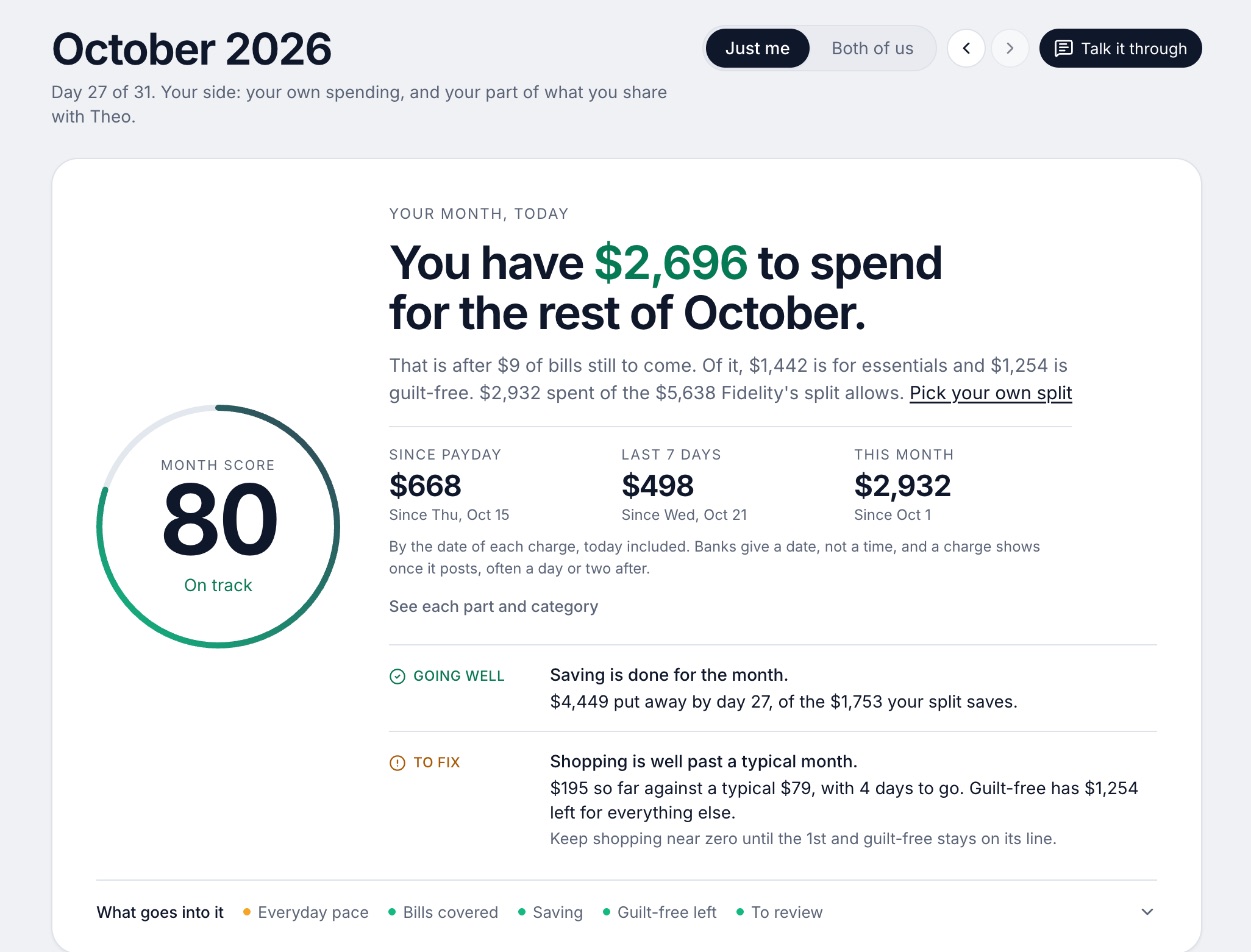
- Every paycheck gets a plan for bills, spending and saving before it lands.[36]
- Banks connect through Plaid and every charge is sorted into a category.[35][36]
- Mine, yours and ours: each charge counts for the person or the pair it belongs to.[36]
- Finds recurring charges and subscriptions, lists what's due before your next paycheck, and flags a bill that comes in higher than usual. It doesn't cancel them for you.[36]
- Texts you by iMessage when a bill is charged twice, a price goes up or a refund lands, and you can text it questions.[36]
- Savings goals show the month you'll reach them.[36]
- Net worth for each of you and for both, from the balances your banks send, with its line over time.[36]
- Life events like getting married come step by step, with the deadlines.[36]
Good
What it costs for a year
- EveryDollar$79.99
- Wonderful$99
- Monarch Money$99.99
- YNAB (You Need A Budget)$109
From each app's own pages. EveryDollar is the Premium plan that adds bank sync; its free version has manual entry. For a single person, Wonderful, YNAB and Monarch's partner features go unused.
How to choose
Do the legal and bank steps first; the app is the easy part. If money is tight, start with EveryDollar's free version. If you want a method, try YNAB's trial. If you need to split kid costs, look at a co-parent tool and ask your lawyer first.
Choose YNAB (You Need A Budget) if you:
- Want to rebuild a budget from zero
- Will check in weekly
- Can pay $109 a year after a 34-day trial
Choose EveryDollar if you:
- Need it free right now
- Are fine typing transactions
- Might pay $79.99 a year for bank import
Choose Monarch Money if you:
- Want a fresh account of your own
- Want all accounts in one view
- Will pay about $99.99 a year
Choose Wonderful if you:
- Have already separated your accounts
- Want each paycheck planned before it lands
- Will pay $99 a year after a free week
Where Wonderful fits, and where it doesn't
Wonderful may fit once your accounts are separate and you want a plan for each paycheck. It is the wrong pick for the divorce itself: its pages do not cover ending a shared household, removing a partner, or splitting expenses with a co-parent, and it is not a legal record. It is also not free, has no iPhone or Android app, and Honeydue-style couples apps are not what you need now. For a free option, see free budgeting apps. This page is general information, not legal advice: for your own situation, use a lawyer or the free services above.
Questions people ask
How do I budget after a divorce?
Start from what you take home alone, list the bills that are now yours, and add costs the marriage used to cover, such as a second set of insurance and utilities. Then add child support paid or received only once it is reliable. Rebuild an emergency fund early. This is general information, not legal or financial advice.
Does a divorce decree get my name off a joint debt?
Not with the creditor. The CFPB says a decree may allocate a debt to one spouse, but creditors can still collect from anyone whose name is on the loan, and sending them the decree does not end your responsibility on a joint account. A family law attorney can explain what applies in your state.
Can I remove my spouse from a joint bank account?
In general you need your spouse's consent, per the CFPB, though some banks allow it, so check your account agreement. Many people open a new account in their own name first and move their pay there. A lawyer can tell you what to do while the divorce is pending.
What is the best app for tracking co-parenting expenses?
OurFamilyWizard describes itself as a co-parenting app with scheduling, messaging and shared expense tracking with payment splits, and says courts accept it in every US state. SupportPay describes expense splitting and child support tracking with a free sign-up. Neither is a budgeting app. Check each one's current pricing before you commit.
Is child support taxable or deductible?
IRS Publication 504 lists child support as a payment that is not alimony, so the payer cannot deduct it as alimony. For divorce or separation instruments executed after 2018, alimony is neither deductible by the payer nor income to the recipient. This is general information; check the publication or a free tax preparer.
Who can claim the kids on taxes after a divorce?
IRS Publication 504 says the custodial parent is the parent the child lived with for the greater number of nights during the year. The other parent can claim certain child-related credits only if the custodial parent signs Form 8332 or a similar written release.
Where can I get free help with a divorce?
LawHelp.org offers free legal information and referrals to nonprofit legal aid by state. Your state court's self-help center is another route. For child support, your state or local child support agency takes applications. Eligibility for legal aid usually depends on income, so ask.
Should I keep using a shared budget app with my ex?
Not if you can avoid it. In Monarch, a partner sees all accounts and transactions, and its help center says you cannot hide accounts or transactions. Check what any shared plan lets the other person see, and start a new account in your own name when you separate. Take legal advice if the app holds records the court may ask for.
Is Wonderful good for divorced parents?
Probably not for the divorce itself. Wonderful's pages describe an app for couples who keep their own money and for one person. They say nothing about ending a household, removing a partner or tracking co-parent expenses. It may fit afterward as a one-person budget, for $14.99 a month or $99 a year after a free week.
Sources
36 sources · read November 3, 2026
Every number on this page comes from consumerfinance.gov, irs.gov, acf.gov and 13 more. If a source has changed since, the source is right.
- 1CFPB: Can a debt collector contact me about a debt after a divorce?consumerfinance.gov
- 2CFPB: Can I remove my spouse from our joint checking account?consumerfinance.gov
- 3IRS: Publication 504, Divorced or Separated Individualsirs.gov
- 4Office of Child Support Services: Sign up for, pay, or change your child supportacf.gov
- 5LawHelp.org: Find free legal helplawhelp.org
- 6IRS: Free tax return preparation for qualifying taxpayers (VITA)irs.gov
- 7OurFamilyWizardourfamilywizard.com
- 8OurFamilyWizard: Pricingourfamilywizard.com
- 9SupportPaysupportpay.com
- 10YNAB pricingynab.com
- 11YNAB featuresynab.com
- 12The YNAB methodynab.com
- 13YNAB on the App Storeapps.apple.com
- 14YNAB on Google Playplay.google.com
- 15Apple public review feed for YNABitunes.apple.com
- 16YNAB: Using YNAB as Partnerssupport.ynab.com
- 17Trustpilot, ynab.comtrustpilot.com
- 18EveryDollar plans (Ramsey Solutions)ramseysolutions.com
- 19EveryDollar budget page (Ramsey Solutions)ramseysolutions.com
- 20EveryDollar on the App Storeapps.apple.com
- 21EveryDollar on Google Playplay.google.com
- 22Apple public review feed for EveryDollaritunes.apple.com
- 23Monarch pricingmonarch.com
- 24Monarch on the App Storeapps.apple.com
- 25Monarch on Google Playplay.google.com
- 26Monarch home pagemonarch.com
- 27Monarch for couplesmonarch.com
- 28Monarch collaborationmonarch.com
- 29Monarch budgetingmonarch.com
- 30Monarch planningmonarch.com
- 31Apple public review feed for Monarchitunes.apple.com
- 32Monarch help: Monarch for Couples and Householdshelp.monarch.com
- 33Trustpilot, www.monarchmoney.comtrustpilot.com
- 34Wonderful terms of servicewonderful.money
- 35Wonderful privacy policywonderful.money
- 36Wonderfulwonderful.money
App names are trademarks of their owners; Wonderful isn't connected with them. Wonderful gives general information. It isn't a financial or tax advisor.