The short version
The best AI budgeting app is the one whose assistant answers from your real numbers and does only what you ask. Wonderful lets you text it questions and plans every paycheck, for one person or two. Copilot Money's Money Assistant can fix transactions but runs on iPhone only. Origin pairs an AI advisor with a partner at no extra cost, and Rocket Money's Rowan works by text on a $15 a month plan.
- 1
Wonderful: Asking about your money in plain words, alone or with a partner
- 2
Copilot Money: An iPhone user who wants an assistant that fixes transactions
- 3
Origin: An AI advisor next to budgeting and investing, with a partner
- 4
Rocket Money: An assistant that texts you and can act on subscriptions
- 5
Quicken Simplifi: A chat inside a spending plan, from a long-running maker
- 6
Tiller: Pointing your own AI at spreadsheets you own
At a glance
| App | Best for | What the AI does | Price | Works on |
|---|---|---|---|---|
| Wonderful | Asking about your money in plain words, alone or with a partner | Texts you by iMessage when a bill is charged twice, a price goes up or a refund lands, and you can text it questions.[1] | $14.99/mo or $99/yr | Web |
| Copilot Money | An iPhone user who wants an assistant that fixes transactions | Money Assistant: an AI you can ask about your money. The page says it "always asks before acting." It can fix transactions, run instructions in the background and flag spending trends with budget suggestions. The App Store says it is available only on iPhone.[9][11] | $13/mo or $95/yr | iPhone, Web, Mac |
| Origin | An AI advisor next to budgeting and investing, with a partner | An AI advisor ("Ask Origin") that answers money questions using your connected accounts. Origin says there are "no usage limits on the AI Advisor".[13][14] | $99/yr; $1 the first year | iPhone, Android, Web, Mac |
| Rocket Money | An assistant that texts you and can act on subscriptions | Rowan, an AI financial assistant that works through text messages, in Premium+.[22][23] | Free, or $15/mo | iPhone, Android, Web |
| Quicken Simplifi | A chat inside a spending plan, from a long-running maker | Quicken Assist, an in-product AI chat that uses your Simplifi data; Quicken says no actions are taken without your review and approval.[28] | $6.99/mo; $3.99/mo the first year | iPhone, Android, Web |
| Tiller | Pointing your own AI at spreadsheets you own | You can point ChatGPT, Claude or Gemini at your spreadsheets. The page says AI is "100% optional with Tiller."[34] | $99/yr | Web |
- Quicken Simplifi$83.88
- Copilot Money$95
- Wonderful$99
- Origin$99
- Tiller$99
- Rocket Money$180
The cheapest way to pay for a year on each app's own pages. Rocket Money's bar is its Premium+ plan at $15 a month, the only plan its pages tie Rowan to. Simplifi's is the $6.99 a month shown beside its $3.99 first-year offer, times twelve. Copilot's is the App Store yearly price; the website shows $109.
What AI does in a budgeting app
In a budgeting app, "AI" usually means two different things that are easy to mix up. The first is sorting: reading each charge and guessing the category. Copilot's FAQ separates the two, saying its Copilot Intelligence handles automatic transaction categorization and its Money Assistant is a conversational AI built into the app.[2] The second is a chat: you type a question, and the app answers from the transactions it has.
Chat is the part people mean when they search for an AI budgeting app, and the apps differ on what it can reach. Wonderful's home page says "Ask about your money in plain words. It checks your real numbers first."[1] Origin says its advisor answers money questions using your connected accounts.[13][14] Quicken's Simplifi has a chat that uses your Simplifi data.[28] In all of them the quality of the answer depends on what is under it: the accounts that are connected, the categories that are right, and the months of history.
Good questions for a chat are ones with an answer already in your data: how much did we spend on groceries last month, which charges are new, what is my biggest bill, how does this month compare with the last. These are lookups and sums that take a minute by hand and a second by chat. That is a real saving of effort, and it is most of what AI does well here today.
What it doesn't do
An AI in a budgeting app is software that reads your transactions and answers in sentences. It is not a licensed financial advisor, and the apps here say so in different ways. Origin's AI disclaimer says its recommendations are based on information you provide, apply only to a point in time and may not be valid in the future.[3] Origin lists human sessions with a CFP professional at $119 per session, a separate product from its AI advisor.[14] Wonderful gives no investment advice or portfolio analysis.[1]
Four limits are worth keeping in mind whatever app you choose:
- It can be wrong without looking wrong. A confident sentence built on a miscategorized rent payment is still wrong. The apps publish no accuracy figure for categorizing, and reviewers of several apps here report wrong categories and accounts that disconnect.[18]
- It doesn't know what you haven't told it. A cash gift, a loan from a parent or a planned move is not in the transactions. It answers from the feed.
- It can be slow or down. One October 2026 reviewer calls Origin's in-app AI "incredibly slow" and says it sometimes does not work.[18] A September 2026 Copilot reviewer says in-app support and the AI chatbot no longer respond.[12]
- It doesn't replace a decision. Whether to pay off a loan or invest, or what a number should be, turns on goals only you know. Treat the answer as a fast first read, then decide.
If you want a plan rather than answers, see our guides to the best budgeting apps and personal finance apps, which cover the budgeting side without the AI.
How we compared
An AI chat is easy to demo and hard to judge from a feature list. These are the things that separate the apps:
- What the AI can reach. Your real transactions, or only general knowledge. An assistant that checks your numbers first is the point.
- Answer or act. Whether it only answers, or can change categories, cancel things or send messages for you, and whether it asks first.
- What the page says about your data. Whether it is sold, used to train models, sent to an outside AI provider or reviewed by people. We say where a page is silent.
- Price of the AI. Whether it is in the base plan or a higher one, and what a year costs.
- Two people. Whether a partner is included and who sees what.
- Where it runs. Copilot's assistant is iPhone only, for one example.
Every fact comes from the app's own pricing, help and AI pages, its App Store and Google Play listings and their reviews, and one news report on Rocket Money's assistant, all read on October 27, 2026 and numbered to the sources at the end. Where an app's pages don't say, this page says so.
1. Asking about your money in plain words, alone or with a partner
Wonderful
$14.99/mo or $99/yr· Web
What it is
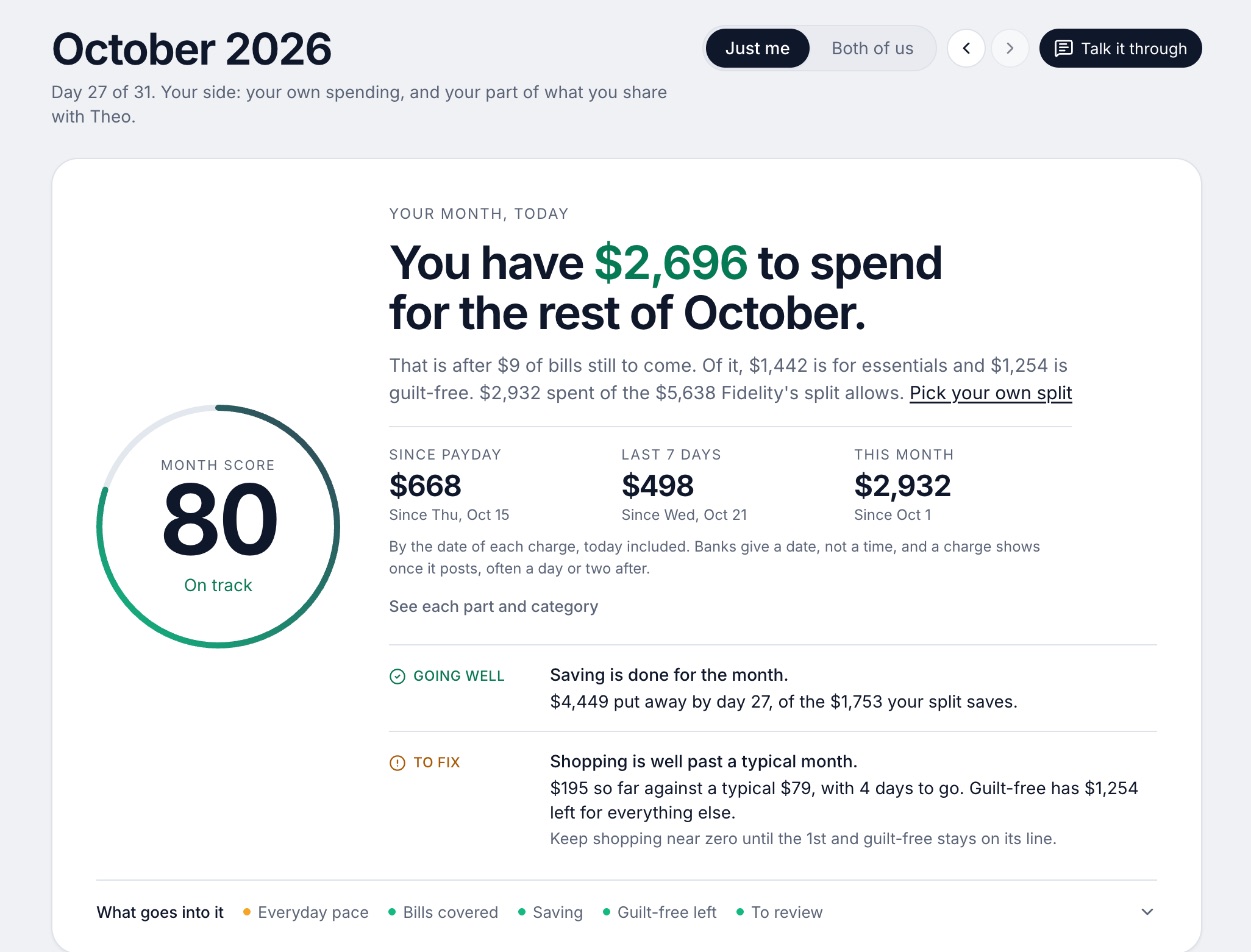
A budgeting app for couples who keep their own money, and for one person: each of you connects your own bank, chooses what the other sees, and every paycheck gets a plan.
Why it's on this list
Wonderful's home page says "Ask about your money in plain words. It checks your real numbers first."[1] You can text it questions, and it texts you by iMessage when a bill is charged twice, a price goes up or a refund lands.[1] Behind that, every bank charge is sorted into a category and every paycheck gets a plan for bills, spending and saving before it lands.
For two people, one subscription covers both of you, each of you chooses what the other sees, and shared costs are split with a running total of who owes whom. It gives no investment advice, it runs in the browser with no iPhone or Android app yet, and it has no free plan after its free week.
Ideal for: One person or a couple who want to ask about their money in plain words and have each paycheck planned.
What it does
- Every paycheck gets a plan for bills, spending and saving before it lands.[1]
- Banks connect through Plaid and every charge is sorted into a category.[8][1]
- Mine, yours and ours: each charge counts for the person or the pair it belongs to.[1]
- Finds recurring charges and subscriptions, lists what's due before your next paycheck, and flags a bill that comes in higher than usual. It doesn't cancel them for you.[1]
- Texts you by iMessage when a bill is charged twice, a price goes up or a refund lands, and you can text it questions.[1]
- Savings goals show the month you'll reach them.[1]
- Net worth for each of you and for both, from the balances your banks send, with its line over time.[1]
- Life events like getting married come step by step, with the deadlines.[1]
Good
2. An iPhone user who wants an assistant that fixes transactions
Copilot Money
$13/mo or $95/yr· iPhone, Web, Mac· App Store 4.8 (31K)[11]
What it is
A paid budgeting and net worth app for Apple devices and the web, with an AI money assistant and one plan that does everything.
Why it's on this list
Copilot's Money Assistant is a conversational AI built into the app, and its FAQ lists it as in beta. The page says it only has access to your own data.[2] It can fix transactions, run instructions in the background and flag spending trends, and the page says it always asks before acting.[9][11]
Two catches matter for this topic. The assistant is available only on iPhone, and the website and the App Store show different prices ($18 a month or $109 a year on the site, $13.00 and $95.00 on the App Store).[10][11] Partner sharing is marked "coming soon."
Ideal for: People on iPhone who want an assistant that can change their data, and are happy to pay.
What it does
- Money Assistant: an AI you can ask about your money. The page says it "always asks before acting." It can fix transactions, run instructions in the background and flag spending trends with budget suggestions. The App Store says it is available only on iPhone.[9][11]
- Connects to 16,000+ US institutions through read-only integrations, with direct links for Venmo, Apple Card and Coinbase.[2][11]
- Sorts transactions automatically, and the assistant can change a category or match a refund to its purchase. You can set your own categories with colors and emojis.[9][11]
- Adaptive budgets that adjust to your spending.[11]
- Tracks spending, investments, net worth and subscriptions.[9][11]
Good
Not so good
- No Android app. The pages list iPhone, iPad, Mac and web only.[9][10][2]
- Sharing with a partner is not live. Households are marked "Coming soon."[9][10][2]
- No free plan after the trial.[2]
- The website and the App Store show different prices: $18 a month or $109 a year (shown as $9 a month) on the site, $13.00 and $95.00 on the App Store.[10][11]
Pricing
- Website, monthly[10]$18 a monthBilled monthly. The pricing page calls it "One simple plan" (checked in a browser 10/27).
- Website, yearly[10]$109 a yearShown as $9 a month, billed yearly, "instead of $119", and labeled a limited time offer.
- App Store, monthly[11]$13 a monthListed as $13.00 on the App Store, which is not what the pricing page shows.
- App Store, yearly[11]$95 a yearListed as $95.00 on the App Store.
“I switched to Copilot when Mint shut down. This app is much better than Mint ever was. The annual fee is a small price to pay to manage my budget and transactions.”Read it where it was said ↗
3. An AI advisor next to budgeting and investing, with a partner
Origin
$99/yr; $1 the first year· iPhone, Android, Web, Mac· App Store 4.6 (3,980)[17]
What it is
A subscription app for iPhone, Android, Mac and web that tracks spending and investments, has an AI advisor, and lets a partner join at no extra cost.
Why it's on this list
Origin's "Ask Origin" advisor answers money questions using your connected accounts, and Origin says it has no usage limits.[13][14] It sits in an app that also tracks investments, offers free DIY tax filing and lets a partner join at no extra cost.
Origin's claim that the advisor scored 98.3% on the CFP exam is its own marketing and was not checked.[14] Its AI disclaimer page says recommendations are based on information you provide and may not be valid in the future, and it doesn't say how your data is used or whether it trains models.[3]
Ideal for: A couple who want budgeting, investing and an AI advisor under one flat fee.
What it does
- An AI advisor ("Ask Origin") that answers money questions using your connected accounts. Origin says there are "no usage limits on the AI Advisor".[13][14]
- Tracks spending, cash flow, subscriptions and bills, and builds budgets from your habits.[17]
- Automatic categorization of transactions; you can edit transactions and add new ones.[14]
- Connects accounts through Plaid, MX and Mastercard, and accepts CSV uploads.[14][15]
- Investing view: holdings, allocation and performance across connected brokerage and retirement accounts, plus Origin's own automated index portfolios.[15][17]
Good
- Partner access is included in the price.[14][16]
- Free DIY tax filing is part of the membership, including joint filing.[14][15]
- One flat fee: $99 a year after the first year, with no add-ons for tax filing or partner access.[14]
- Covers budgeting, investing, estate planning and an AI advisor in one app.[13][17]
Not so good
- No free plan or free trial on the pages opened; the first year is $1, then $99 a year.[14][15]
- Many 5-star App Store reviews in 2026 end with "Entered a sweepstakes for this review."[18]
- Origin's claim that its AI Advisor scored 98.3% on the CFP exam is its own marketing and was not checked.[14]
- App Store reviewers in 2026 report bank connections that expire or will not reconnect, and slow support.[18]
Pricing
- First year promotion[14][15]$1 a year"$1 for the first year." Per Origin's blog.
- Annual after year one[14]$99 a year"$99/year", a flat annual fee. Partner access and tax filing carry no add-on.
- Origin's blog says it offers no free trial, only the first-year price: "Try Origin for $1 for your first year." Whether a card is needed was not stated on the pages opened.[15]
- No free plan is described on the pages opened. The App Store listing is free to download, and 2026 reviewers say the app is unusable without a subscription.[17][18]
“My wife and I are able to combine all our accounts here — and see who’s is who’s. It’s got a great AI integration as well.”Read it where it was said ↗
4. An assistant that texts you and can act on subscriptions
What it is
An app that finds your subscriptions, can cancel them and negotiate bills for you, and tracks spending and budgets, with a free plan and two paid ones.
Why it's on this list
Rowan is Rocket Money's AI financial assistant. It works through text messages and is in the Premium+ plan at $15 a month.[22][23] Rocket Money's home page calls it "your AI powered financial assistant."[5]
A September 3, 2026 FinTech Global report says Rowan can cancel subscriptions, negotiate rates, pursue refunds, check spending, adjust budgets and recategorize transactions on request, that it was built with Anthropic, and that users can respond to it by text.[6] That is the most hands-on assistant on this list, and the report has no privacy statement; Rocket Money's home page makes no AI-specific data statement either.
Ideal for: People who want an assistant that does the chasing, and will pay $15 a month for it.
What it does
- Finds recurring subscriptions in one place. On Premium, a team cancels them for you; its cost article says this usually takes 2 to 10 days. On Free you cancel them yourself.[20]
- Negotiates cable, phone and insurance bills for a success fee of 35% to 60% of the first year's savings.[20][21][22]
- Tracks upcoming bills, net income and spending, with automatic categories.[20]
- Custom budgets: two custom category budgets on Free, unlimited custom budgets and categories on Premium.[20]
- Premium adds transaction rules, splits, notes, tags, manual transactions and CSV export.[20]
Good
- A free plan exists and covers subscription tracking, bills and basic budgets.[20]
- Cancels subscriptions for you on Premium and negotiates bills.[20]
- Large installed base: 403K ratings on the App Store at 4.5 stars and 141K on Google Play at 4.5.[23][24]
- Premium is a sliding scale you pick yourself, with a 7-day trial.[20][21]
Not so good
- The price is not fixed: the learn article says $7 to $14 a month, the help center gives no numbers, and the App Store lists purchases from $2.99 to $9.99.[20][21][23]
- Bill negotiation costs 35% to 60% of the first year's savings for Free and Premium members.[20][21]
- On Free you cancel subscriptions yourself. Hands-off cancelling is Premium.[20][22]
- The free plan allows two custom category budgets, so a full budget needs Premium.[20]
Pricing
- Free[20]FreeMobile only. Tracks subscriptions and upcoming bills, with two custom category budgets.
- Premium[20][21][23]Pay what you think is fair, "typically $7 to $14 per month, subject to change," per the learn article. The help center says the price varies by platform and gives no numbers. The App Store lists Premium purchases from $2.99 to $9.99 without billing periods.
- Premium+[20][21][23]$15 a monthA fixed $15 a month plus tax. Adds Rowan, an AI assistant that works through text messages, and no fee on bill negotiation.
- The help center says new Premium members get a 7-day free trial, then the subscription continues at the price chosen at sign-up. The learn article states no trial.[20][21]
- A free plan exists. It links accounts (not in real time), tracks subscriptions but you cancel them yourself, tracks upcoming bills, and shows spending breakdowns.[20]
“I selected 7 dollars per month and it still charged me for 15”Read it where it was said ↗
5. A chat inside a spending plan, from a long-running maker
Quicken Simplifi
$6.99/mo; $3.99/mo the first year· iPhone, Android, Web
What it is
A web and mobile budgeting app from Quicken that links accounts, builds a spending plan, projects cash flow and tracks bills, goals and investments.
Why it's on this list
Quicken Assist in Simplifi is an in-product AI chat that uses your Simplifi data, and Quicken says no actions are taken without your review and approval.[28]
Quicken is the one maker here whose help page spells out the model arrangement. It says the AI generates responses using third-party large language models, naming ChatGPT as an example, that none of your conversations are used to train them, that Quicken may review conversations to maintain quality, and that you can turn it off in the general settings.[4] The page doesn't say what data is sent to those models.
Ideal for: People who want a chat inside a spending plan and want to know which outside model sits behind it.
What it does
- A spending plan that shows what you can spend per day.[27]
- Projected cash flow with "what-if" scenarios.[27]
- Tracks upcoming bills and subscriptions and shows all your subscriptions.[27]
- Automatically categorizes transactions and connects to over 14,000 financial institutions.[27]
- Savings goals, reports and insights.[27]
Good
- A partner can use the shared space without paying for a second subscription.[29]
- 30-day money-back guarantee on purchases made directly from Quicken.[30][31]
- Every support channel is included with every subscription.[28]
- Covers budgeting, bills, investments and a retirement planner in one subscription.[27]
Not so good
- No free plan and no free trial.[31]
- Annual billing only, and renewal is at the then-current rate, not the first-year offer.[27][31]
- Only one shared space and one additional member; no way to share only some accounts.[29]
- A person invited to share must accept on the web app; signing in on the mobile app prompts them to subscribe.[29]
Pricing
- Simplifi, first-year offer[27]$3.99 a monthBilled annually. The page says the final price may differ from the monthly price times 12, and the offer is for the first year when ordered directly from Quicken by November 26, 2026.
- Simplifi, price shown beside the offer[27]$6.99 a monthBilled annually. Shown next to $3.99 on the page without a label. The subscription renews at "the then-current rates".
“Easy to set up. For me it’s great! Tracking my finances - I only have to look in one place for everything. Love it!”Read it where it was said ↗
6. Pointing your own AI at spreadsheets you own
Tiller
$99/yr· Web
What it is
A service that sends your bank transactions into Google Sheets or Excel spreadsheets you own, with budget templates on top.
Why it's on this list
Tiller doesn't build an assistant. It sends your bank transactions into Google Sheets or Excel sheets you own, and its page says you can point ChatGPT, Claude or Gemini at them and that AI is "100% optional with Tiller."[34]
That puts the choice of AI, and of what it sees, in your hands. It also means no built-in chat: you do the asking in another tool. Tiller's pages describe no mobile app and no partner login, and it is $99 a year after a 30-day trial.
Ideal for: People who are happy in a spreadsheet and want to choose their own AI and what it sees.
What it does
- Syncs bank accounts into private spreadsheets you own, with daily automation.[34]
- All transactions flow into one Transactions Sheet.[34]
- Works with both Google Sheets and Microsoft Excel.[36]
- AutoCat sorts transactions into categories, and you can set your own category rules.[34][36]
- The Foundation Template is an automated spreadsheet budget; other templates cover expenses, debt, net worth and savings.[34][36]
Good
Pricing
- Tiller[35]$99 a year"After 30 days, Tiller is just $99/year." The only plan listed; no monthly option shown.
Bring your own AI
You don't need an AI built into the app. If you already use a general assistant, the question becomes how to get your numbers to it. Tiller's way is a spreadsheet you own. Kubera, a net worth tracker and not a budgeting app, says Claude, ChatGPT and other assistants can read your balance sheet through its MCP.[39] It is $250 a year, has a 14-day trial and, as its own page puts it, is a balance sheet, not a budget.[39]
The tradeoff is control against convenience. Your own assistant can be one you already trust with a privacy setting you chose. You also paste or connect the data yourself, and nothing checks the answer against your plan for you. For the budgeting side, our expense tracker roundup covers apps that keep the transactions clean in the first place.
Answering versus acting
The biggest difference between these assistants is not how smart they sound. It is whether they can change anything.
| App | What its pages say about acting |
|---|---|
| Wonderful | You can text it questions, and it texts you alerts for a double charge, a price rise or a refund.[1] It doesn't cancel subscriptions for you.[1] |
| Copilot Money | "Always asks before acting." Can fix transactions and run instructions in the background.[9][11] |
| Origin | Answers money questions using your connected accounts. Origin's pages describe no actions on your accounts.[13][14] |
| Rocket Money | Per one report, Rowan can cancel subscriptions, negotiate rates and pursue refunds when asked by text.[6] |
| Quicken Simplifi | No actions are taken without your review and approval.[28] |
| Tiller | No built-in assistant. Any action is by the tool you point at the sheet.[34] |
An assistant that acts saves you effort and costs you some control, so the ask-first designs are worth noticing. For subscriptions in particular, see apps that cancel subscriptions for you, which compares the ones that do the cancelling.
AI and your data
Giving an app your bank feed is one decision. Letting an AI read it is another, and the answers are not always on the page. Here is what each app's own pages say, and where they say nothing.
| App | What its pages say about AI and your data |
|---|---|
| Wonderful | Read Wonderful's privacy policy for how it handles your data. This page doesn't summarize it.[8] |
| Copilot Money | The FAQ says the assistant only has access to your own data, that Copilot does not sell financial data or show ads, and that revenue comes entirely from subscriptions. It doesn't say whether your data is used to train AI models or name its AI providers.[2] |
| Origin | The AI disclaimer page says recommendations are based on information you provide. It doesn't say how your data is used, whether it goes to outside AI providers or whether it trains models. The App Store listing says Origin never sells data.[3][17] |
| Rocket Money | The home page makes no AI-specific data statement. A news report says Rowan was built with Anthropic and has no privacy statement.[5][6] |
| Quicken Simplifi | Third-party large language models, ChatGPT named as an example. None of your conversations are used to train them, Quicken may review conversations to maintain quality, and you can disable the feature in the general settings. The page doesn't say what data is sent.[4] |
| Tiller | AI is optional. You choose the tool and what you point it at.[34] |
Three questions are worth sending to any app before you rely on its assistant: is my data used to train a model, is it sent to an outside AI company and under what terms, and can people at the company read my conversations. Quicken's page is the one here that answers all three in plain words, and its answer to the third is that conversations may be reviewed. That is a fair answer; the point is to know it.
On the bank side, Copilot's pages describe read-only integrations and say bank credentials are not stored by Copilot.[2][11] Rocket Money's FAQ says bank logins go straight to Plaid and are not stored by Rocket Money.[22] That is separate from what happens to the transactions afterward, which is what the table above is about.
What the AI costs
On most of these the AI is part of the one plan, so there is no separate price for it. Rocket Money is the exception: Rowan is in the Premium+ plan at a fixed $15 a month plus tax, which is $180 over a year, while its free plan and Premium don't include it.[20][21][23] Origin charges $1 for the first year then $99 a year, and Copilot's website prices are $18 a month or $109 a year against $13.00 and $95.00 on the App Store.[14][15][10] Wonderful is $14.99 a month or $99 a year for both partners, with a free week.[7]
An AI chat is rarely the reason to pay, so judge the app on its budgeting first. Our free budgeting apps roundup covers what you get at $0, and none of these AI features are free.
AI for two people
Most AI features were built around one person's accounts. With a partner, ask what the assistant sees and who it answers to. This is what each app's pages say about a partner:
- Wonderful: A partner joins with their own login at no extra cost. One subscription covers the household.[7]
- Copilot Money: Households are marked "Coming soon" and partner invites "coming this fall" on the home and pricing pages. Once live, the pages say up to 3 people share one subscription at no extra cost with full access.[9][10]
- Origin: "Origin offers partner access so you can manage your finances together at no additional cost." One partner invites the other by email and each connects their own accounts.[14][16]
- Rocket Money: Account sharing with a partner is listed as a Premium feature.[20]
- Quicken Simplifi: Spaces sharing: you can share your data with one additional member. They need their own Quicken ID but not their own subscription, and must accept the invite on the web app.[27][29]
- Tiller: The pages opened do not describe a partner login. Because the data sits in a spreadsheet you own, sharing the sheet is up to you.[34]
A chat about shared money is only useful if it sees both people's spending and still respects what each wants private. Wonderful lets each person choose, account by account, what the other sees.[8] Our budgeting apps for couples roundup compares what a partner sees across more apps.
Questions to ask your AI
An assistant is only as useful as the question. These work because the answer is already in your transactions:
- What did we spend on groceries and eating out last month, and how does that compare with the month before?
- Which charges are new in the last 60 days?
- What bills are due before my next paycheck?
- Which subscriptions went up in price this year?
- How much did I put into savings last month?
- What was my biggest single charge this month, and what was it?
Questions that need judgment go badly: "Should I pay off my car or invest?" depends on your rate, your job and your goals, none of which a transaction shows. Ask for the facts, then make the decision yourself or with a person you trust.
How to choose
Start with whether you want answers or actions, then where it runs and who it is for. Price comes after.
Choose Wonderful if you:
- Want to text questions about your money
- Share money with a partner and want each paycheck planned
- Want no investment advice from an app
- Are fine with a web app for now
Choose Copilot Money if you:
- Use an iPhone
- Want an assistant that can fix transactions and asks first
- Are happy with a paid app with no partner sharing yet
Choose Origin if you:
- Want budgeting, investing and an AI advisor in one
- Want a partner included at no extra cost
- Can live with a first-year $1 then $99 a year
Choose Rocket Money if you:
- Want an assistant by text that can act on subscriptions
- Will pay $15 a month for Premium+
- Are comfortable letting it act when you reply
Choose Quicken Simplifi if you:
- Want a chat inside a spending plan
- Want the model arrangement spelled out
- Want to share with one other person
Choose Tiller if you:
- Live in spreadsheets
- Want to choose your own AI and what it sees
- Don't need a phone app
Where Wonderful fits, and where it doesn't
We make Wonderful, and we put it first here because it is built around asking about your money in plain words and planning each paycheck, for one person or two. It is not an investing tool and gives no investment advice, and it doesn't cancel subscriptions. It runs in the browser with no iPhone or Android app yet, it has no free plan after its free week, and it has no app store ratings because it is new.
If you are on iPhone and want an assistant that can change your transactions, Copilot is closer. If you want an AI that can act on subscriptions by text, look at Rocket Money's Rowan. If you want to use your own AI on your own sheet, Tiller. For the wider list, see the best budgeting apps.
Questions people ask
What is the best AI budgeting app?
It depends on what you want the AI to do. Wonderful lets you text it questions about your money and plans each paycheck, for one person or two. Copilot Money has a Money Assistant that can fix transactions, on iPhone only. Origin has an AI advisor and a partner at no extra cost. Rocket Money's Rowan works by text and is in the $15 a month Premium+ plan.
Is there a free AI budgeting app?
Not among these. Wonderful, Copilot, Origin, Simplifi and Tiller have no free plan, and Rocket Money's AI assistant Rowan is in its $15 a month Premium+ plan. Wonderful has a free week, Copilot's FAQ and the App Store say one month free for new users, and Tiller gives 30 days free.
Can AI really do my budget for me?
It can sort your transactions into categories and answer questions about them. Setting the goals, deciding what a category is for and acting on the answer is still yours. An app that wraps AI around a bank feed is only as good as the feed and the categories under it.
Is an AI budgeting app a financial advisor?
No. An AI feature in a budgeting app answers questions from your data. Origin's AI disclaimer says its recommendations are based on information you provide and may not be valid in the future, and Origin lists human sessions with a CFP professional at $119 per session, separate from its AI advisor. Wonderful gives no investment advice.
Is it safe to give an AI app my bank data?
Read what each app says about it. Copilot's FAQ says it does not sell financial data and shows no ads. Quicken says none of your conversations are used to train the language models behind Quicken Assist. Origin's AI disclaimer page and Copilot's FAQ don't say whether your data trains AI models. We list what each page says in the privacy section above.
Do AI budgeting apps train their models on my data?
Only one says so outright: Quicken says none of your conversations are used to train the language models. Copilot's FAQ and Origin's AI disclaimer don't say either way, so ask their support before you assume.
Can the AI make changes in my account, or only answer?
It differs. Copilot's page says its Money Assistant always asks before acting, and Quicken says no actions are taken in Simplifi without your review and approval. Rocket Money's Rowan is described as able to cancel subscriptions and negotiate bills when you reply by text. Wonderful's pages describe text questions and alerts, not actions on your accounts.
Can I use ChatGPT or Claude for budgeting instead?
Yes, if you feed it your numbers. Tiller sends bank transactions into a spreadsheet you own, and its page says you can point ChatGPT, Claude or Gemini at the sheets and that AI is 100% optional. Kubera says assistants can read your balance sheet through its MCP. Both leave you to decide what to share.
Do AI budgeting apps work for couples?
Some do. Wonderful and Origin include a partner at no extra cost, and each person in Wonderful chooses what the other sees. Copilot's pages call households coming soon. Rocket Money, Simplifi and Tiller are covered in the couples section above.
How accurate is the AI's categorizing?
None of these apps publishes an accuracy figure for categorizing. Reviewers of several apps complain about wrong categories and accounts that disconnect, which affect any answer the AI gives. Check a month of categories by hand before you trust a total.
Sources
39 sources · read October 27, 2026
Every number on this page comes from wonderful.money, copilot.money, useorigin.com and 14 more. If a source has changed since, the source is right.
- 1Wonderful home pagewonderful.money
- 2Copilot Money FAQcopilot.money
- 3Origin AI disclaimeruseorigin.com
- 4Quicken Assist disclosure and consent (Simplifi help)info.quicken.com
- 5Rocket Money home pagerocketmoney.com
- 6FinTech Global: Rocket Money launches AI agent (September 3, 2026)fintech.global
- 7Wonderful terms of servicewonderful.money
- 8Wonderful privacy policywonderful.money
- 9Copilot Money homecopilot.money
- 10Copilot Money pricingcopilot.money
- 11Copilot on the App Storeapps.apple.com
- 12Apple public review feed for Copilotitunes.apple.com
- 13Origin home pageuseorigin.com
- 14Origin blog: Why Origin is the best personal finance app in 2026useorigin.com
- 15Origin blog: Why Origin is the best all-in-one AI finance appuseorigin.com
- 16Origin blog: Finance apps that let you add a partner in 2026useorigin.com
- 17App Store listing, Origin: AI Budget and Trackapps.apple.com
- 18App Store reviews, Originapps.apple.com
- 19Origin legal pageuseorigin.com
- 20Rocket Money: How much does Rocket Money costrocketmoney.com
- 21Rocket Money help center: How much does Rocket Money costhelp.rocketmoney.com
- 22Rocket Money FAQframer.rocketmoney.com
- 23Rocket Money on the App Storeapps.apple.com
- 24Rocket Money on Google Playplay.google.com
- 25Apple public review feed for Rocket Moneyitunes.apple.com
- 26Trustpilot, rocketmoney.comtrustpilot.com
- 27Quicken Simplifi product pagequicken.com
- 28Quicken blog: personal finance software with the best customer supportquicken.com
- 29Simplifi help: How to use Spaces sharingsupport.simplifi.quicken.com
- 30Simplifi help: How to cancel and get a refundsupport.simplifi.quicken.com
- 31Simplifi help: Subscription questionssupport.simplifi.quicken.com
- 32App Store listing, Quicken: Budget & Track Moneyapps.apple.com
- 33App Store reviews, Quicken: Budget & Track Moneyapps.apple.com
- 34Tiller hometiller.com
- 35Tiller pricingtiller.com
- 36Tiller featurestiller.com
- 37Hacker News search for Tiller Money commentshn.algolia.com
- 38Kubera home pagekubera.com
- 39Kubera, Net Worth Trackerkubera.com
App names are trademarks of their owners; Wonderful isn't connected with them. Wonderful gives general information. It isn't a financial or tax advisor.