The short version
Installed budgeting software comes in three prices: a subscription (Quicken Classic from $4.49 a month, billed annually; Banktivity from $59.99 a year), a single purchase (Moneydance, $65), or free (GnuCash and Actual Budget).[6][11][15][20][29] Most web apps install nothing and run $99 to $109 a year. Pick on where you want your data and which banks you need.
- 1
Quicken Classic: Windows or Mac users who want the long-running program, with investments and bill pay
- 2
Banktivity: Mac and iPhone users who want a native app with net worth and a mortgage linked to a home
- 3
Moneydance: People who want to buy once, on Mac, Windows or Linux
- 4
GnuCash: People who know bookkeeping and want free software
- 5
Actual Budget: People who want a free envelope budget and will host it themselves
- 6
Quicken Simplifi: A web app at the lowest first-year price
- 7
Monarch Money: A web app with phone apps and a partner included
- 8
YNAB (You Need A Budget): A web app built on a method
- 9
Tiller: People who want the bank feed in a spreadsheet
- 10
Wonderful: Nothing to install: a web app, with a plan for every paycheck
At a glance
| App | Works on | Price | Where your data lives | Bank download |
|---|---|---|---|---|
| Quicken Classic | Windows and Mac, plus a companion phone app[4][8] | Subscription: $4.49 (Starter), $6.99 (Deluxe) or $7.99 (Premier) a month, billed annually[6][5][7] | On your computer; cloud sync only for the phone app[1][5] | Downloads and categorizes transactions automatically[6] |
| Banktivity | Mac, iPhone and iPad. Not a web app, no Android[11] | Subscription: $59.99, $79.99 or $99.99 a year; $6.99 to $10.99 a month if billed monthly[11] | On your devices, with optional end-to-end encrypted cloud sync[3] | Bank and card accounts sync automatically[12] |
| Moneydance | macOS, Windows and Linux, plus free iPhone, iPad and Android apps[14][19] | $65 once per household; or $9 a month or $90 a year with bank syncing[15] | Local storage; the phone apps sync with the desktop[14] | "Hundreds" of institutions on its home page; 11,000+ North American banks with the subscription[14][15] |
| GnuCash | Windows, Mac and Linux[20][21] | Free[20] | Stored in XML by default, or in a SQL database you choose[22] | Imports QIF, OFX/QFX and CSV files. Direct download is built for European banks[23][24] |
| Actual Budget | Windows, Mac and Linux desktop app, or a browser; a server you host for sync[26] | Free. Optional bank data from SimpleFIN is $15 a year[28][29] | On your devices, synced through a server you host; optional end-to-end encryption[25] | SimpleFIN Bridge for North American banks, through a server you run[27][28] |
| Quicken Simplifi | Web, iPhone and Android[30][34] | $3.99 a month, billed annually, for the first year; renewal not stated[30] | In Quicken's web service[30] | Over 14,000 institutions[30] |
| Monarch Money | Web, iPhone and Android[38][39] | $14.99 a month or $99.99 a year[37][38] | In Monarch's web service[40] | 13,000+ institutions[40] |
| YNAB (You Need A Budget) | Web, iPhone and Android[51][52] | $14.99 a month or $109 a year[48][51] | In YNAB's web service[51] | Links accounts and brings in transactions automatically[49] |
| Tiller | Web: Google Sheets or Excel[56][58] | $99 a year after 30 days free[57] | In spreadsheets you own[56] | Daily sync into your spreadsheet[56] |
| Wonderful | Web (any browser). No iPhone or Android app yet[62] | $14.99 a month or $99 a year, both partners. No free plan after the free week[60] | In the web app[61] | Through Plaid; every charge sorted[61][62] |
Five years of cost, where the pages let you add it up
A one-time price against a subscription only means something over several years. This table adds up five years at today's prices. Prices change, so treat it as a comparison, not a forecast. Quicken Classic and Simplifi are left off the sum because their pages give a first-year price and say renewals are charged at the then-current price, without stating it.[5][30]
| App | What the page lists | Five years |
|---|---|---|
| GnuCash | Free[20] | $0 |
| Actual Budget | Free; with SimpleFIN bank data at $15 a year[28][29] | $0, or $75 with bank data |
| Moneydance | $65 once; with the $40 a year Moneydance+ add-on[15] | $65, or $265 with Moneydance+ |
| Banktivity | Bronze at $59.99 a year; Gold at $99.99 a year[11] | $299.95 on Bronze, $499.95 on Gold |
| Tiller | $99 a year[57] | $495 |
| Wonderful | $99 a year for both partners[60] | $495 |
| Monarch Money | $99.99 a year[37] | $499.95 |
| YNAB (You Need A Budget) | $109 a year[48] | $545 |
The pattern is plain. Free software costs nothing but your time. Moneydance is the cheapest paid option over five years, even with the Moneydance+ add-on. Web apps land between $495 and $545. The sum for Wonderful covers both partners.
How we compared
These are the four questions that separate one program from another, and the ones the apps' own pages answer:
- Platforms. Windows, Mac and Linux, and whether there is a phone app.
- Price model. A subscription, a purchase you keep, or free, and what a renewal costs.
- Where the data lives. On your computer, on a server you run, or with the company.
- Bank download. Whether transactions come in by themselves, from how many banks, or from files you download.
We read each product's pricing and download pages, its help pages, the app stores, and public posts on Hacker News and in app reviews. Each fact is numbered to its source at the bottom. Where a page was silent we say so. We haven't used these programs ourselves, so nothing here is a hands-on verdict.
Installed software or a web app
Both kinds budget, track bills and report on spending. They differ in four ways that matter when you are deciding.
Where the data lives. Quicken's CEO letter says "Quicken continues to store data locally on your computer" and that cloud sync applies only if you use Quicken Mobile.[1] Banktivity, Moneydance and Actual also keep data on your devices. A web app keeps it with the company, and Tiller keeps it in spreadsheets you own. If you want your records on your own machine, pick an installed program. If you want to open them from any computer with no setup, pick a web app.
Price model. The installed field is the only place left to buy budgeting software once. Moneydance is $65 per household and says it never "sunsets" software.[15] Quicken Classic and Banktivity are subscriptions, and Quicken's pages say a membership renews every year at the then-current price.[5][11]
Bank download. This is where installed software differs most. Quicken, Banktivity and Moneydance download transactions for you. GnuCash mostly imports files, and Actual Budget needs a SimpleFIN subscription and your own server. Web apps connect banks as their main job, and the big ones list 13,000 to 14,000 institutions.[40][30]
Upkeep and operating systems. An installed program is yours to update. Quicken for Mac supports "Current (macOS 27 Golden Gate) and previous two versions of macOS", and warns that on an older Mac the application may keep running, but transaction download may stop working.[2] GnuCash's Mac builds start at macOS 10.13 for Intel and macOS 11 for Apple silicon.[21] A web app updates itself and works on whatever browser you have.
If you have already narrowed to web apps, our best budgeting websites and best personal finance apps pages go deeper on them. This page spends its time on the installed side.
How transactions get into each program
Bank download is the part of installed software that varies most, so it gets its own section. The five programs do it five ways.
- Quicken Classic connects bank and credit card accounts and downloads and categorizes transactions automatically.[6] Its pages give no count of banks. Quicken's web app, Simplifi, says over 14,000.[30]
- Banktivity syncs bank, savings and credit card accounts automatically.[12] Its own comparison page says it offers "multiple data aggregators" for better bank connectivity, and names none.[3]
- Moneydance says on its home page that it downloads transactions from "hundreds" of institutions. Its purchase page puts "over eleven thousand North American banks" with the subscription.[14][15] One 2026 App Store reviewer wrote that they had never got the desktop version to download from their bank.[18]
- GnuCash works from files. You download a QIF, OFX/QFX or CSV file from your bank's site and import it, and GnuCash matches new rows against old ones so duplicates are removed.[22][24] A 2025 Hacker News commenter who imported a lot of bank data into GnuCash wrote that it was "not smooth or complete". [post]
- Actual Budget needs the most setup. You open a SimpleFIN Bridge account, add your banks, subscribe ($15 a year), make a one-time setup token and paste it into Actual. Sync pulls up to 90 days of history per account, and not every bank gives the full range.[28] It works only through Actual's server with your own credentials, runs only while the app is open, and cannot sync more often than every 15 minutes.[27]
The practical rule: check your own banks before you pay. Banktivity has a 30-day trial for first-time customers, and Moneydance a 90-day money-back guarantee.[11][15][16] A web app has the same problem on a smaller scale, so the trial is the test there too.
If you stop paying
This is the quiet difference between buying software and renting it. What happens to your records when the payment stops?
- Quicken Classic: its Data Access Guarantee says you keep "full access to and control over your desktop data".[1]
- Banktivity: one subscription covers all your devices, and you can export your data whatever the state of the subscription.[11]
- Moneydance: the purchase is described as one you can use "as long as you like without ever needing to pay again".[15]
- GnuCash and Actual Budget: there is no payment to stop. GnuCash is free, and Actual's home page says "You own your data".[20][25]
- Simplifi: it "requires an active annual subscription", and without one you cannot view your data or add transactions.[34] The other web apps' pages we read do not say what you can still see after a lapse, so ask before you commit.
1. Windows or Mac users who want the long-running program, with investments and bill pay
What it is
Desktop money software for Windows and Mac, with a companion phone app, that downloads bank transactions, budgets and tracks bills and investments.
Why it's on this list
Quicken Classic is the long-running one. It has four tiers: Starter at $4.49 a month, Deluxe at $6.99, Premier at $7.99 and Business & Personal at $10.99, each billed annually. Deluxe, Premier and Business & Personal carry a 40% first-year offer for new memberships ordered directly from Quicken by November 29, 2026.[4][5][6][7] Starter leaves out investment tracking, and the offer does not apply to it.
It is subscription only. Quicken's CEO called the "primary motivation for the change to a subscription model" a wish "to simplify the experience". The company promises a Data Access Guarantee: "you are assured that you will continue to have full access to and control over your desktop data".[1] On Mac the app runs on current macOS and the two versions before it, and the Lifetime Planner and Morningstar Portfolio X-Ray are Windows only.[5][7][2] Our Quicken alternatives page covers why some people leave.
Ideal for: People on Windows or Mac who want one program for budgets, bills, investments and tax reports, and are fine with a yearly membership.
What it does
- Links bank and credit card accounts and downloads and categorizes spending automatically.[6]
- Budgets: a simple monthly budget on Starter, multiple budgets on Deluxe.[5][6]
- Tracks upcoming bills and subscriptions; bill pay is on Premier, for "over 10,000 billers".[5][7]
- Investing tools on Deluxe and Premier; Premier calculates IRR and ROI and analyzes buys and sells.[6][7]
- Built-in tax reports with export to TurboTax on Premier.[7]
Good
Pricing
- Classic Starter[6]$4.49 a monthBilled annually. The 40% off does not apply to Starter. No investment tracking.
- Classic Deluxe[4][5]$6.99 a monthBilled annually, shown with 40% off. Multiple budgets, debt reduction, retirement planning. Windows and Mac.
- Classic Premier[4][7]$7.99 a monthBilled annually, down from $8.99 (40% off). Adds investing tools, tax reports and bill pay for over 10,000 billers.
- Classic Business & Personal[4]$10.99 a monthBilled annually, down from $12.49 (40% off). Business and personal finances in one place.
“...annual fee is far too much for the product”Read it where it was said ↗
2. Mac and iPhone users who want a native app with net worth and a mortgage linked to a home
Banktivity
$6.99/mo or $59.99/yr· iPhone, Mac· Trustpilot 2.8 (35)[13]
What it is
A money app that runs natively on Mac, iPhone and iPad, with net worth tracking, budgets, goals and investments.
Why it's on this list
Banktivity is built for Apple devices only: Mac, iPhone and iPad, with one subscription for all of them. Its pages state that "Banktivity is not a web app".[11] Pricing has three tiers: Bronze at $59.99 a year, Silver at $79.99 and Gold at $99.99, or $6.99, $8.99 and $10.99 a month if billed monthly, with a 30-day trial for first-time customers. Real estate tracking begins at Silver and foreign currencies at Gold.[11] Its own page says data stays on your devices, with optional end-to-end encrypted cloud sync, and that it imports from Quicken for Mac and Quicken for Windows.[3] You can export your data whatever the state of the subscription.[11]
Ideal for: Mac and iPhone users who want an app made for Apple devices, with plans from $59.99 a year.
What it does
- Bank accounts, savings accounts and credit cards sync automatically; investment and retirement accounts contribute their current market value.[12]
- Real estate, vehicles, precious metals and crypto "can be added and updated whenever their value changes."[12]
- A mortgage can be linked to its home, so collapsed you see net home equity and expanded the home value and the loan balance.[12]
- Accounts can be put in custom groups and subgroups, such as one Real Estate group for two homes.[12]
- "Banktivity does not automatically update vehicle values," so a car is revisited by hand.[12]
Good
Pricing
- Bronze[11]$6.99 a month · $59.99 a year$6.99 a month billed monthly, or $59.99 billed annually ($4.99 a month). Bank and card sync, budgets, debt payoff, emergency fund and goals.
- Silver[11]$8.99 a month · $79.99 a year$8.99 a month billed monthly, or $79.99 billed annually ($6.67 a month). Adds downloadable stock prices, goals tools and real estate tracking.
- Gold[11]$10.99 a month · $99.99 a year$10.99 a month billed monthly, or $99.99 billed annually ($8.33 a month). Adds accounts in different currencies and downloadable exchange rates and crypto prices.
3. People who want to buy once, on Mac, Windows or Linux
Moneydance
$9/mo or $90/yr· iPhone, Android, Mac· App Store 4.7 (982)[17]
What it is
Desktop money software for macOS, Windows and Linux that you buy once, with free iPhone, iPad and Android companion apps, that tracks accounts, budgets, bills and investments.
Why it's on this list
Moneydance is the one-time purchase here: $65 for a household, no matter how many computers or people use it, with a free upgrade to the next major release and a 90-day money-back guarantee.[15][16] A free trial is "fully functional but limited to entering up to 100 manually entered transactions".[14]
The catch is bank download. Its purchase page says Moneydance+, the optional subscription with "unlimited syncing with over eleven thousand North American banks", is not included in the $65. It is $4 a month or $40 a year, or $9 a month or $90 a year with the software included.[15] The home page says Moneydance downloads transactions from "hundreds" of institutions and names no connection method, so check your banks in the free trial first.[14] The iPhone, iPad and Android apps are free and need the desktop program.[17]
Ideal for: People who want to buy once, on Mac, Windows or Linux, and keep the data on their own computer.
What it does
- Runs on macOS, Windows and Linux, with a download page for other platforms.[19]
- "Moneydance can automatically download transactions and send payments online from hundreds of financial institutions." Its purchase page says the subscription includes syncing with "over eleven thousand North American banks".[14][15]
- Your data is "private, encrypted, and never shared", and a review the page quotes describes "an architecture based on local storage".[14]
- Investment tracking for stocks, bonds, CDs and mutual funds, with cost basis and automatic price downloads.[19]
- Budgets, scheduled reminders for one-off or recurring payments, reports you can export, and multiple currencies.[19]
Good
Not so good
- Moneydance+, which the purchase page ties to syncing with 11,000+ North American banks, is not in the $65.00. It is $4.00 a month or $40.00 a year on top.[15]
- No web app. The phone apps need the desktop program.[14][17]
- The pages name no bank connection method and give no list of supported banks.[14][19]
Pricing
- Moneydance 2024, buy once[15]$65.00 once, per household. Includes a free upgrade to the next major release. Moneydance+ is not included.
- Moneydance+ add-on[15]$4.00 a month or $40.00 a year on top of the one-time purchase. Optional.
- Subscribe instead of buying (software and Moneydance+)[15]$9 a month · $90 a year$9.00 a month or $90.00 a year. "Get Moneydance 2024 and all future updates, as well as unlimited syncing with over eleven thousand North American banks."
- A free trial that is "fully functional but limited to entering up to 100 manually entered transactions." Moneydance+ subscriptions have a 14-day free trial.[14][15]
- No free plan. The iPhone, iPad and Android apps are free, and the iPhone app needs the desktop version of Moneydance to be useful.[17][19]
“...after could no longer tolerate quicken high price and middling quality.”Read it where it was said ↗
4. People who know bookkeeping and want free software
GnuCash
Free· Mac
What it is
Free, open-source double-entry accounting software for Windows, Mac and Linux that tracks bank accounts, stocks, income and expenses, with no subscription.
Why it's on this list
GnuCash is free and open source. It is accounting software first: its own description is "personal and small-business financial-accounting software". It runs on Windows 8, 10 and 11, on Macs from macOS 10.13 (Intel) or macOS 11 (Apple silicon), and on Linux.[20][21]
Getting transactions in is the hard part for a US user. GnuCash imports QIF, OFX/QFX and CSV files and removes duplicates on import. Its online banking runs through AqBanking, built for German and some European protocols, and the GnuCash wiki calls OFX Direct Connect "an obsolete protocol formerly used mainly in the US".[22][23][24] That means downloading a file from each bank and importing it. The pages describe no phone app.
Ideal for: People who are comfortable with double-entry bookkeeping and want free software that never changes its price.
What it does
- "Personal and small-business financial-accounting software" that tracks bank accounts, stocks, income and expenses, using double-entry bookkeeping.[20]
- Imports Intuit Quicken QIF files "using a practical assistant". Its guide has sections for importing QIF, OFX/QFX and CSV files.[22][24]
- Matches imported transactions against existing ones so "duplicate transactions are accurately recognized and automatically deleted during file import".[22]
- Online banking runs through AqBanking: FinTS/HBCI and EBICS (German and some European banks) can send orders; OFX Direct Connect, "an obsolete protocol formerly used mainly in the US", can only query.[23]
- Data is stored in XML by default. It can also be stored in a SQL database (SQLite3, MySQL or PostgreSQL), which the features page calls experimental.[22]
Good
Not so good
- Its pages describe no automatic bank download for US banks: OFX Direct Connect is called obsolete, and online banking is built for European protocols.[23]
- The pages describe no phone app and no web app.[20][21][22]
- The SQL storage option is called experimental, with reports of data loss in corner cases.[22]
Pricing
- GnuCash[20]Free"Free Accounting Software", "freely licensed under the GNU GPL". No paid plan, trial or account.
- The whole program is free. The pages list no paid tier and no hosted service.[20]
“I have imported a lot into Gnucash from a downloaded file but its not smooth or complete (narrative needed fixing).”Read it where it was said ↗
5. People who want a free envelope budget and will host it themselves
Actual Budget
Free· Web, Mac
What it is
A free, open-source, local-first budgeting app you run as a desktop app or on a server you host, with envelope-style budgeting and optional bank sync.
Why it's on this list
Actual Budget is free under the MIT license and calls itself "unabashedly local-first software": the app works on your device and syncs in the background.[25][29] You can try it in a browser, but the docs call browser-only use "not recommended for long-term use" because the data stays in the browser. For regular use you run a desktop app for Windows, Mac or Linux, or a server you host with Docker, a command, PikaPods or Fly.io.[26]
Bank sync is optional and the setup is on you. For North American banks it uses SimpleFIN Bridge at $1.50 a month or $15 a year, once a day, through Actual's server and your own credentials. Actual says those tokens "are stored on the server and are not covered by end-to-end encryption", and that syncing "only happens while Actual is open".[27][28]
Ideal for: People who want a free envelope-style budget, are happy to run a small server, and live in a country SimpleFIN covers.
What it does
- "Unabashedly local-first software": the app works on your device and your data is synced in the background so all devices have access.[25]
- Optional end-to-end encryption means your data "remains unreadable, even to the server".[25]
- Desktop app for Windows, Mac and Linux (download from GitHub), a browser version at app.actualbudget.org that keeps data only in the browser and is "not recommended for long-term use", or a server you host with Docker, a command, PikaPods or Fly.io.[26]
- Bank sync: SimpleFIN Bridge for North American banks and Pluggy.ai for Brazilian banks are listed as supported; GoCardless for European banks is "not accepting new accounts"; Akahu and Enable Banking are also listed.[27]
- Bank sync needs actual-server and your own API credentials. Syncing "only happens while Actual is open", and the shortest sync interval you can set is 15 minutes.[27]
Good
Not so good
- No official hosted service is described; the docs point to third-party hosts, which charge fees.[26]
- Bank sync works only through actual-server with your own credentials, and the bank sync tokens "are stored on the server and are not covered by end-to-end encryption".[27]
- The bank-data service SimpleFIN Bridge costs $15 a year, paid to SimpleFIN, and is for North American banks.[28]
- The pages describe no phone app and no app store listing.[25][26]
Pricing
“I have it self-hosted on my Synology, and it just works like a charm. It's very similar to YNAB, so if you're into that style of budgeting, Actual will feel familiar.”Read it where it was said ↗
The web apps, in short
These four are subscriptions that run in a browser and on phones. They get a full comparison on our best budgeting websites page, and here is what separates them from the installed programs.
| App | What it is, and what it costs |
|---|---|
| Quicken Simplifi | A Quicken product built as a web and phone app. $3.99 a month, billed annually, for the first year. Shares with one additional member.[30][32] |
| Monarch Money | Net worth and budgets across 13,000+ institutions, with a partner included. $14.99 a month or $99.99 a year.[37][40][41] |
| YNAB (You Need A Budget) | A method for giving every dollar a job. $14.99 a month or $109 a year, with a 34-day trial on its site. One subscription can be shared with up to 5 more people.[48][50] |
| Tiller | Sends bank transactions into Google Sheets or Excel. $99 a year after a 30-day trial; no mobile app named.[56][57] |
Simplifi is also made by Quicken. It has no free trial, only a 30-day money-back guarantee on purchases made directly from Quicken, and its $3.99 a month is a first-year price.[30] Our Simplifi pricing page has the renewal wording. Tiller is the in-between choice: a web service that feeds your bank transactions into a spreadsheet you own, so you keep the file as you would with installed software. For a spreadsheet-first route see our best budget spreadsheets and templates.
10. Nothing to install: a web app, with a plan for every paycheck
Wonderful
$14.99/mo or $99/yr· Web
What it is
A budgeting app for couples who keep their own money, and for one person: each of you connects your own bank, chooses what the other sees, and every paycheck gets a plan.
Why it's on this list
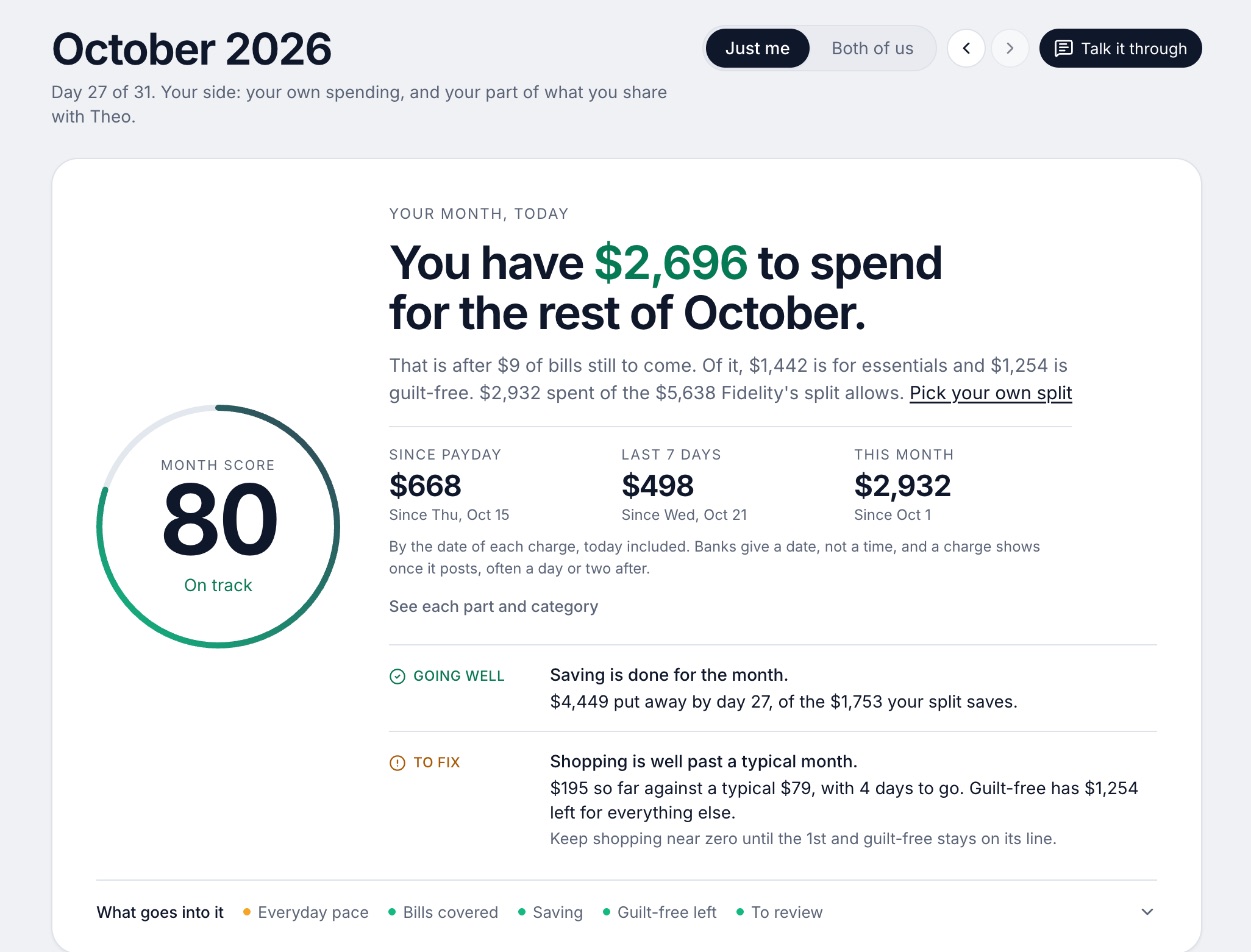
We make Wonderful, so weigh this entry accordingly. It is a web app: you open it in a browser on any computer and there is nothing to install. Your bank connects through Plaid, and every paycheck gets a plan for bills, spending and saving before it lands.[62] One subscription, $14.99 a month or $99 a year, covers you and a partner.[60]
The tradeoffs are plain. There is no iPhone or Android app yet, no free plan after the free week, and no investment advice or portfolio analysis. If you want a program that keeps the file on your own computer, pick one of the first five.[62]
Ideal for: People who want nothing to install or back up, one price for two, and a plan for each paycheck.
What it does
- Every paycheck gets a plan for bills, spending and saving before it lands.[62]
- Banks connect through Plaid and every charge is sorted into a category.[61][62]
- Mine, yours and ours: each charge counts for the person or the pair it belongs to.[62]
- Finds recurring charges and subscriptions, lists what's due before your next paycheck, and flags a bill that comes in higher than usual. It doesn't cancel them for you.[62]
- Texts you by iMessage when a bill is charged twice, a price goes up or a refund lands, and you can text it questions.[62]
- Savings goals show the month you'll reach them.[62]
- Net worth for each of you and for both, from the balances your banks send, with its line over time.[62]
- Life events like getting married come step by step, with the deadlines.[62]
Good
Phones and syncing between devices
Installed software lives on one computer, so a phone app is a companion that has to sync with it. How well that works is the most common complaint in reviews.
- Quicken Classic has a companion app that syncs desktop and mobile data, enters transactions offline and stores photos of receipts.[8] App Store reviewers in 2026 report cloud sync failing and categories changing after a sync.[10]
- Banktivity covers Mac, iPhone and iPad with one subscription, and its page describes end-to-end encrypted cloud sync.[11][3]
- Moneydance has free iPhone, iPad and Android apps. A 2026 reviewer has used Dropbox and iCloud sync across Mac, Windows, Linux and iOS, and says it works "OK". Another that year could not get an iPad and a MacBook to sync.[18]
- GnuCash has no phone app on the pages we read.[20][21][22] Actual syncs through your server. A 2024 user called its mobile site "not complete" but usable for managing transactions. [post]
Web apps skip the problem, because the browser and the phone talk to the same service. Simplifi, Monarch and YNAB add iPhone and Android apps.[30][34][38][39][51][52] Wonderful has no phone app yet, so on a phone it is the browser.[62]
How to choose
Start with the answer to "where should my data live?" The rest follows from it.
Choose Quicken Classic if you:
- Use Windows or Mac and want investments, tax reports and bill pay in one program
- Accept a yearly membership that renews at the then-current price
- Want your data kept local
Choose Banktivity if you:
- Use only Apple devices
- Want one subscription across Mac, iPhone and iPad
- Are coming from Quicken for Mac and want a native app
Choose Moneydance if you:
- Want to pay once
- Use Linux, or both Mac and Windows
- Will check in the trial that your banks download
Choose GnuCash if you:
- Know bookkeeping, or want to learn it
- Are happy importing files from your bank
- Want software that never charges you
Choose Actual Budget if you:
- Like envelope budgeting
- Can run a small server, or pay a host to
- Want free software and will pay $15 a year for SimpleFIN
Choose Wonderful if you:
- Want nothing to install
- Share some money with a partner and want one price for two
- Are fine in a browser, without a phone app or investment analysis
Where Wonderful fits, and where it doesn't
We make Wonderful, so weigh this section accordingly. It is a web app, so there is nothing to install, update or back up, and it works for one person or two, with a plan for every paycheck. See our budgeting apps that connect to your bank for how that compares with other web apps.
It is the wrong pick if you want your data on your own computer, a one-time purchase, investment tracking beyond balances, or a phone app today. It has no free plan after the free week, and it doesn't cancel subscriptions for you. For those needs, Moneydance, Banktivity, Quicken Classic, GnuCash or Actual Budget fit better.
Questions people ask
What is the best budgeting software for Mac?
Banktivity runs natively on Mac, iPhone and iPad from $59.99 a year. Moneydance runs on Mac for a one-time $65. Quicken Classic runs on Mac from $4.49 a month, billed annually, but its Lifetime Planner and Portfolio X-Ray are Windows only. GnuCash and Actual Budget are free. Web apps like Monarch, YNAB and Wonderful need nothing installed.
What is the best personal finance software for Windows?
Quicken Classic is the Windows program with the most features, from $4.49 a month billed annually. Moneydance ($65 once) and GnuCash (free) also run on Windows. Banktivity is Mac only. The Windows-only extras in Quicken Classic are the Lifetime Planner (Deluxe and Premier) and Morningstar Portfolio X-Ray (Premier).
Is there free personal finance software?
Yes. GnuCash is free under the GNU GPL and runs on Windows, Mac and Linux. Actual Budget is free and open source under the MIT license, with the app on your computer or a server you host. Both are free of a subscription. Actual's bank sync uses SimpleFIN Bridge, which is $15 a year paid to SimpleFIN.
Which budgeting software is a one-time purchase?
Moneydance is $65 once per household and includes a free upgrade to the next major release. Moneydance+, which adds syncing with over 11,000 North American banks per its purchase page, is $4 a month or $40 a year on top. Quicken Classic and Banktivity are subscriptions only. GnuCash and Actual Budget cost nothing.
Does GnuCash connect to my bank?
Not the way a budgeting app does. GnuCash imports QIF, OFX/QFX and CSV files you download from your bank. Its online banking runs through AqBanking, built for FinTS/HBCI and EBICS in Germany and some European countries. The GnuCash wiki calls OFX Direct Connect, the old US method, an obsolete protocol that can only query.
Can Actual Budget connect to US banks?
Yes, through SimpleFIN Bridge, which Actual lists for North American banks. SimpleFIN is $1.50 a month or $15 a year and updates each account once a day. You need Actual's server, your own credentials and the app open to sync. Actual says GoCardless, the European option, is not accepting new accounts.
Is Quicken Classic subscription only?
Yes. The pages for Starter, Deluxe and Premier describe a membership that renews every year at the then-current price. Its CEO's letter about the subscription plan said Quicken 2017 would be discontinued on 4/30/2020. Its Data Access Guarantee says you keep full access to your desktop data if you don't renew.
What is the difference between Quicken Classic and Simplifi?
Classic is a program on a Windows or Mac computer that keeps your data local. Simplifi is a web and phone app, $3.99 a month billed annually for the first year. Both are made by Quicken. See our Simplifi pricing page for the renewal wording.
Is a web app or installed software better?
Installed software keeps data on your computer and can be a one-time purchase, but you update it, back it up and sync the phone yourself. A web app works on any computer and is a subscription. The deciding questions are where you want the data, whether you want to pay once, and which banks you need to download from.
Which budgeting software has no subscription at all?
GnuCash, Actual Budget and Moneydance have no required subscription. Moneydance's bank syncing is the optional Moneydance+ at $4 a month or $40 a year. Actual's bank data costs $15 a year from SimpleFIN. Everything else here is a subscription.
Sources
62 sources · read November 3, 2026
Every number on this page comes from quicken.com, banktivity.com, apps.apple.com and 18 more. If a source has changed since, the source is right.
- 1Quicken: letter from the CEO about the subscription planquicken.com
- 2Quicken for Mac system requirementsquicken.com
- 3Banktivity: a Quicken alternativebanktivity.com
- 4Quicken plans and pricingquicken.com
- 5Quicken Classic Deluxequicken.com
- 6Quicken Classic Starterquicken.com
- 7Quicken Classic Premierquicken.com
- 8Quicken Classic companion app on the App Storeapps.apple.com
- 9Trustpilot: quicken.comtrustpilot.com
- 10App Store reviews feed for Quicken Classic (most recent)itunes.apple.com
- 11Banktivity plansbanktivity.com
- 12Banktivity, Net Worth Trackingbanktivity.com
- 13Trustpilot, banktivity.comtrustpilot.com
- 14Moneydancemoneydance.com
- 15Purchase Moneydance (The Infinite Kind)infinitekind.com
- 16The Infinite Kind refund policyinfinitekind.com
- 17Moneydance on the App Storeapps.apple.com
- 18Apple public review feed for Moneydanceitunes.apple.com
- 19Moneydance product page (The Infinite Kind)infinitekind.com
- 20GnuCashgnucash.org
- 21GnuCash downloadgnucash.org
- 22GnuCash featuresgnucash.org
- 23GnuCash wiki: AqBankingwiki.gnucash.org
- 24GnuCash guide: Importing data into GnuCashcode.gnucash.org
- 25Actual Budgetactualbudget.org
- 26Actual Budget docs: installingactualbudget.org
- 27Actual Budget docs: bank syncactualbudget.org
- 28Actual Budget docs: SimpleFINactualbudget.org
- 29Actual Budget on GitHubgithub.com
- 30Quicken Simplifi product pagequicken.com
- 31Quicken blog: personal finance software with the best customer supportquicken.com
- 32Simplifi help: How to use Spaces sharingsupport.simplifi.quicken.com
- 33Simplifi help: How to cancel and get a refundsupport.simplifi.quicken.com
- 34Simplifi help: Subscription questionssupport.simplifi.quicken.com
- 35App Store listing, Quicken: Budget & Track Moneyapps.apple.com
- 36App Store reviews, Quicken: Budget & Track Moneyapps.apple.com
- 37Monarch pricingmonarch.com
- 38Monarch on the App Storeapps.apple.com
- 39Monarch on Google Playplay.google.com
- 40Monarch home pagemonarch.com
- 41Monarch for couplesmonarch.com
- 42Monarch collaborationmonarch.com
- 43Monarch budgetingmonarch.com
- 44Monarch planningmonarch.com
- 45Apple public review feed for Monarchitunes.apple.com
- 46Monarch help: Monarch for Couples and Householdshelp.monarch.com
- 47Trustpilot, www.monarchmoney.comtrustpilot.com
- 48YNAB pricingynab.com
- 49YNAB featuresynab.com
- 50The YNAB methodynab.com
- 51YNAB on the App Storeapps.apple.com
- 52YNAB on Google Playplay.google.com
- 53Apple public review feed for YNABitunes.apple.com
- 54YNAB: Using YNAB as Partnerssupport.ynab.com
- 55Trustpilot, ynab.comtrustpilot.com
- 56Tiller hometiller.com
- 57Tiller pricingtiller.com
- 58Tiller featurestiller.com
- 59Hacker News search for Tiller Money commentshn.algolia.com
- 60Wonderful terms of servicewonderful.money
- 61Wonderful privacy policywonderful.money
- 62Wonderfulwonderful.money
App names are trademarks of their owners; Wonderful isn't connected with them. Wonderful gives general information. It isn't a financial or tax advisor.