The short version
YNAB has the longest trial with no card: 34 days. Tiller gives 30 days plus 30 more backed by a full refund. Monarch gives a week, and Rocket Money and PocketGuard 7 days. Wonderful, which we make, starts with a free week; a card is added to start it and nothing is charged until it ends. Simplifi and Goodbudget Premium have no trial, only a 30-day refund.
- 1
Wonderful: A free week, a card up front, then one price for two
- 2
YNAB (You Need A Budget): The longest trial with no card
- 3
Monarch Money: A week, then one price for two
- 4
Rocket Money: A short trial, then a price you pick
- 5
Copilot Money: A month on Apple devices
- 6
EveryDollar: Trial Premium, fall back to a free version
- 7
PocketGuard: The only one here with a one-time price
- 8
Tiller: Up to 60 risk-free days, for spreadsheet people
- 9
Banktivity: A 30-day trial on a Mac-first app
- 10
Lunch Money: 30 days, with a yearly price you set
- 11
Quicken Simplifi: No trial, a 30-day refund instead
- 12
Quicken Classic: No trial; read the refund terms first
- 13
Goodbudget: A refund window instead of a trial
At a glance
| App | Free trial | Card needed? | When it ends | Price after |
|---|---|---|---|---|
| Wonderful | A free week, plus more days for finishing parts of setup[17] | Yes, added to start it; nothing is charged until it ends | The household plan starts. There is no free plan after the trial | $14.99 a month or $99 a year, for both partners |
| YNAB (You Need A Budget) | 34 days[1] | No, when you sign up on YNAB's site. An app store sign-up may ask for one[1] | Nothing is charged unless you subscribe[1] | $14.99 a month or $109 a year, plus tax where it applies[1] |
| Monarch Money | One week: "Your first week is on us"[2] | Not stated on the pricing page[2] | The membership starts. The page says you can cancel anytime and offers a money-back guarantee[2] | $14.99 a month or $99.99 a year[2] |
| Rocket Money | 7 days, for new Premium members[3] | Not stated in the help article[3] | The subscription continues at the price you chose at sign-up[3] | You choose, typically $7 to $14 a month; Premium+ is $15 a month[35][3][37] |
| Copilot Money | 1 month for new users[5] | Not stated[5] | The subscription starts; there is no permanent free tier[5] | $109 a year on the website. The App Store lists a different price[4] |
| EveryDollar | 14 days of Premium, new users only[6] | Not stated[6] | Premium starts. If you cancel, you keep the free version, which has no bank import[44][45] | $79.99 a year or $17.99 a month[6] |
| PocketGuard | 7 days, on every plan[7] | Not stated[7] | It auto-renews unless you cancel at least 24 hours before the period ends[7] | $74.99 a year, $12.99 a month, or $149.99 once for lifetime[7] |
| Tiller | 30 days, then 30 more backed by a full refund[8] | The page says your card isn't charged until the trial ends[8] | $99 a year starts. A full refund is available in the next 30 days[8] | $99 a year, plus sales tax where required[8] |
| Banktivity | 30 days, first-time customers only[9] | Not stated[9] | A paid plan starts; the page lists no free plan[9] | Bronze $6.99, Silver $8.99, Gold $10.99 a month, billed annually[9] |
| Lunch Money | 30 daysA 30-day free trial.[62][68] | Not stated | A paid plan starts | $10 a month or $100 a year, as last read October 27[68] |
| Quicken Simplifi | None. The support article does not mention a trial[12] | Not applicable; you pay at purchase | You have 30 days from purchase to ask for a refund, and a refund ends access at once[12] | $3.99 a month the first year on an offer that ends November 29, 2026, beside $6.99, billed annually[10] |
| Quicken Classic | None listed on the pricing comparison[13] | Not applicable; you pay at purchase | It renews every year at the then-current price; the page says you may cancel before the renewal date[13] | Deluxe $6.99 and Premier $7.99 a month, billed annually, with 40% off the first year for new members[13] |
| Goodbudget | None for Premium. A free plan has no end date[14] | Not applicable; the free plan needs none | Full refund in the first 30 days. After you cancel, the household keeps Premium to the end of the period, then becomes a free household[14] | $10 a month or $80 a year, as last read October 27[80][81] |
How we compared
A trial is only useful if you know what it costs to leave. So for each app we looked at five things:
- How long the trial is. Counted from the pricing page, not the app store, which sometimes says something different.
- Whether a card is needed to start. Only where the page says so. If it doesn't, the table says "not stated" rather than guess.
- What happens on the last day. Auto-renewal, a refund window, or a free version to fall back on.
- How to cancel. Where the cancel screen is, with our own step-by-step page where one exists.
- The price after. Monthly and yearly, as the company's page shows them.
We read each company's pricing, help and refund pages on November 2, 2026, and each fact is numbered to its page at the end. We haven't used these apps ourselves. Where a page didn't say, the table says so. For which app is best once the trial is over, see best budgeting apps; for apps with no trial because they have a free plan, see best free budgeting apps.
Card up front or not
The card question decides how easy it is to walk away. There are three cases in this list.
- No card. YNAB says "No credit card required" when you sign up on its own site. With no card on file, there is nothing to charge when day 34 comes.[1]
- Card added, charged later. Wonderful adds a card to start the free week and charges nothing until it ends. Tiller says your card isn't charged until the end of the trial.[8] Here the charge is automatic, so the cancel date is yours to remember.
- The page doesn't say. Monarch, Rocket Money, Copilot, EveryDollar, PocketGuard, Banktivity and Lunch Money. Assume a card is asked for and plan to cancel early, then see on the sign-up screen.
An app store sign-up changes the rules. YNAB says third-party app stores may require credit card information for a trial,.[1]
What happens when the trial ends
There are four endings, and they matter more than the trial's length.
The paid plan starts on its own
Monarch, Rocket Money, Copilot, EveryDollar, PocketGuard, Tiller, Banktivity, Lunch Money and Wonderful all move to a paid plan unless you cancel first. Rocket Money's help center says the subscription continues at the price you selected at sign-up.[3] PocketGuard is the plainest about timing: it renews unless you cancel at least 24 hours before the period ends.[7]
Nothing happens unless you subscribe
YNAB: "No need to cancel! You won't be charged unless you subscribe."[1] That holds for a sign-up on YNAB's own site. If you started through an app store, check your Apple or Google subscriptions.
A refund window instead
Tiller gives 30 more days after the trial with a full refund.[8] Simplifi has no trial but a 30-day refund from purchase.[12] Goodbudget gives a full refund in the first 30 days of a subscription.[14] A refund window beats a trial only if you remember to use it; put the date in your calendar.
A free version to fall back on
Cancel EveryDollar's Premium and you keep the free version, without bank import. Cancel Goodbudget's Premium and the household becomes a free household. Neither works the same as a trial that simply stops.
How to cancel before you are charged
Cancel at least a day before the trial ends, in the place you signed up. These are the apps with a step-by-step page on this site.
- Cancel YNAB: on the web app, your plan name, then Account Settings, then Cancel Subscription. If you subscribed through Apple or Google Play, cancel there.
- Cancel Monarch: Billing Settings on the web, then Manage subscription. An App Store or Google Play subscription is cancelled in that store.
- Cancel Rocket Money: Settings, then Membership, then Manage. Premium stays on until the billing cycle ends.
- Cancel Copilot: Settings, then Manage your subscription, on the device you subscribed on.
- Cancel EveryDollar: turn Auto-Renew off under Manage Subscriptions on your Ramsey account. You keep the free version.
- Cancel PocketGuard: Billing, then Modify subscription in the app, or Settings, Customer Portal, Cancel plan on the web. At least 24 hours before the period ends.
- Cancel Simplifi and Quicken Classic: Manage Subscription, then Cancel Renewal, unless you bought through an app store.
For anything bought through Apple or Google, use how to cancel Apple subscriptions or Google Play subscriptions. Tiller, Banktivity, Lunch Money and Goodbudget don't have a page here yet. Goodbudget says you can cancel from its website at any time.[14] The full list is at /cancel.
If you are charged after cancelling, start with the app's support and keep the confirmation email. Our guide to being charged twice and the dispute a charge guide cover the next steps, and the FTC explains how to get in and out of free trials and auto-renewals.
1. A free week, a card up front, then one price for two
Wonderful
$14.99/mo or $99/yr· Web
What it is
A budgeting app for couples who keep their own money, and for one person: each of you connects your own bank, chooses what the other sees, and every paycheck gets a plan.
Why it's on this list
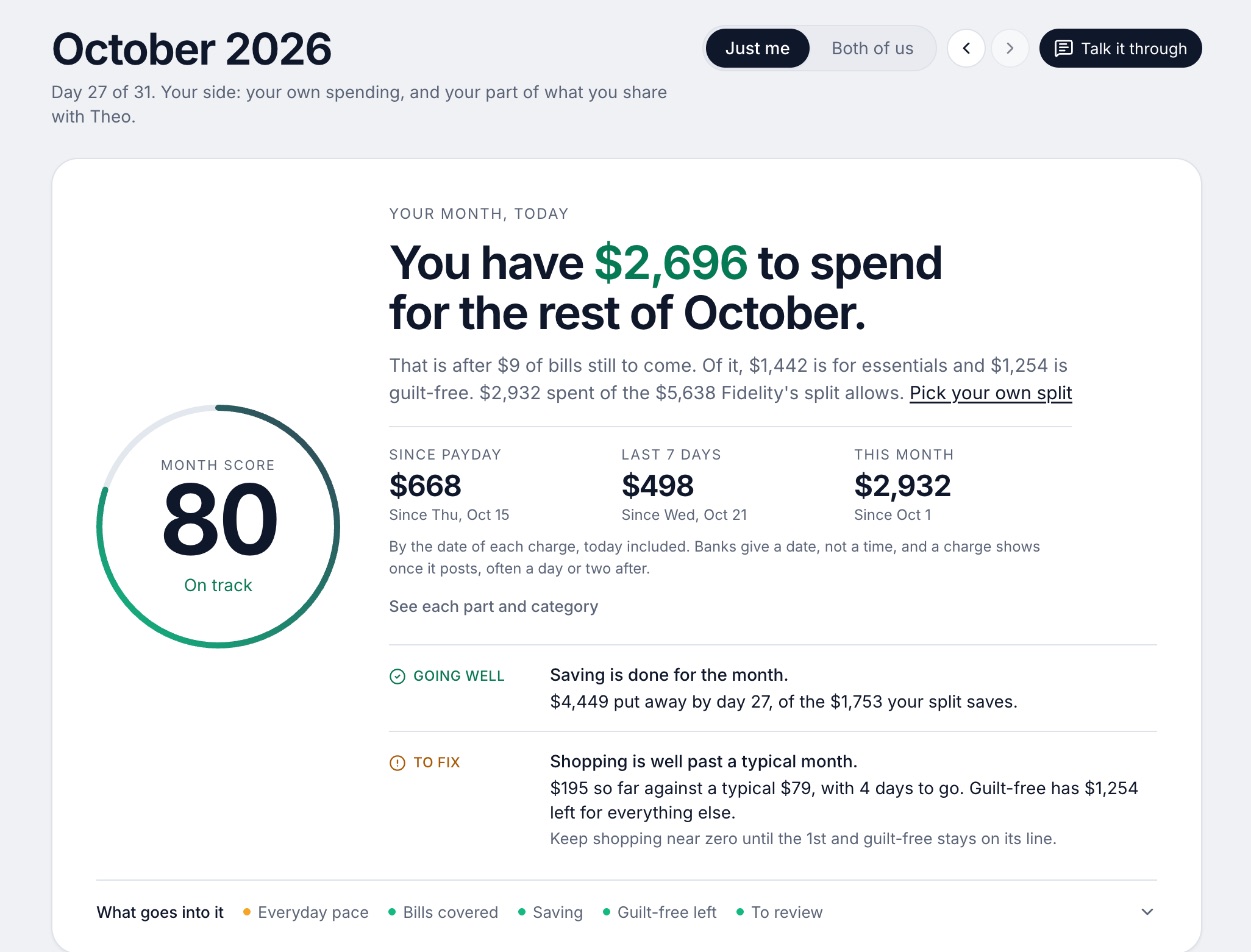
We make Wonderful. Its trial is a free week, plus more days for finishing parts of setup. A card is added to start it and nothing is charged until it ends. After that it is $14.99 a month or $99 a year for the whole household, and there is no free plan.
What a trial gets you here: every paycheck gets a plan for bills, spending and saving before it lands, banks connect through Plaid, and a partner joins at no extra cost. It runs in the browser; there is no iPhone or Android app yet.
Ideal for: Two people, or one, who want to try a paid plan with a card on file and a clear last day.
What it does
- Every paycheck gets a plan for bills, spending and saving before it lands.[17]
- Banks connect through Plaid and every charge is sorted into a category.[16][17]
- Mine, yours and ours: each charge counts for the person or the pair it belongs to.[17]
- Finds recurring charges and subscriptions, lists what's due before your next paycheck, and flags a bill that comes in higher than usual. It doesn't cancel them for you.[17]
- Texts you by iMessage when a bill is charged twice, a price goes up or a refund lands, and you can text it questions.[17]
- Savings goals show the month you'll reach them.[17]
- Net worth for each of you and for both, from the balances your banks send, with its line over time.[17]
- Life events like getting married come step by step, with the deadlines.[17]
Good
Apps with no trial
Three apps here give you something else. Simplifi and Quicken Classic ask for payment up front, with a 30-day refund window on Simplifi. The pages we read for Quicken Classic don't mention a refund or a trial.[12][13] Goodbudget has a free plan with limits and a 30-day refund on Premium.[14]
Before you pay one of these, read its refund line. A refund window you can use is worth as much as a trial. One you can't find is worth nothing.
How to choose
Pick by what you want to learn in the trial. A week is enough to connect a bank and see whether the categories make sense. It is not enough to see a full month, which is why YNAB's 34 days and Tiller's 60 matter if you want to see one bill cycle through. For the comparison once the trial is over, see YNAB pricing, Monarch pricing, Rocket Money pricing, Copilot pricing, EveryDollar pricing and Simplifi pricing.
Choose YNAB (You Need A Budget) if you:
- Want to try it with no card on file
- Want a full month and more before you decide
- Are fine paying $109 a year after
Choose Tiller if you:
- Like spreadsheets
- Want up to 60 days, the last 30 with a refund
- Will pay $99 a year
Choose Monarch Money if you:
- Want a week to connect everything
- Want one price for both partners
- Will remember to cancel on day 6
Choose EveryDollar if you:
- Want to try Premium's bank import for 14 days
- Are fine falling back to the free version
Choose PocketGuard if you:
- Want a 7-day trial
- Might prefer a $149.99 lifetime price to a subscription
Choose Wonderful if you:
- Want to try a plan for every paycheck
- Are fine with a card on file and a reminder
- Are fine with a web app for now
Where Wonderful fits, and where it doesn't
If you want a trial with no card, use YNAB. If you want a trial that lasts a month or two, YNAB and Tiller are longer than Wonderful's week. If you want a free plan with no end date, Wonderful has none. If a week, with a card and a reminder, is enough to see a plan for each paycheck, Wonderful is built for that, and one price covers both partners. It runs in the browser only, with no iPhone or Android app yet. See also free budgeting apps for couples.
Questions people ask
Which budgeting app has the longest free trial?
Tiller gives 30 days free and then 30 more days backed by a full refund, up to 60 risk-free days. For a plain free trial with no card, YNAB's 34 days is the longest here. Banktivity and Lunch Money also give 30 days.
Which budgeting apps need a credit card to start the trial?
Wonderful asks for a card to start its free week and charges nothing until it ends. Tiller's page says your card isn't charged until the trial ends. YNAB needs none if you sign up on its own site, though an app store sign-up may ask for one. For Monarch, Rocket Money, Copilot, EveryDollar and PocketGuard, the pages we read don't say.
Will I be charged automatically when the trial ends?
Most paid plans renew on their own unless you cancel. PocketGuard says all subscriptions auto-renew unless canceled at least 24 hours before the period ends. YNAB says you will not be charged unless you subscribe. Check each app's line in the table, and set a reminder for the day before.
Does YNAB have a free trial?
Yes. YNAB's pricing page offers 34 days free with no credit card when you sign up directly with YNAB. Then it is $14.99 a month or $109 a year.
Does Monarch have a free trial?
Monarch's pricing page says "Your first week is on us." After that it is $14.99 a month or $99.99 a year. The page says you can cancel anytime and mentions a money-back guarantee, and it doesn't say whether a card is needed to start.
Does Rocket Money have a free trial?
Its help center says new Premium members get a 7-day free trial. When it ends, the subscription continues at the price you chose at sign-up. The free plan has no end date but is limited, and you cancel Premium yourself in Settings, then Membership.
Does Quicken Simplifi have a free trial?
No. The Simplifi pages we read don't offer one. Simplifi's support article gives a 30-day refund window from purchase instead, and says a refund ends your access immediately.
Is there a budgeting app that is free with no trial limit?
Yes, with limits. Goodbudget has a free plan with no end date, and EveryDollar's free version works without bank import. Our best free budgeting apps page covers what each free plan leaves out.
What if I signed up through the App Store or Google Play?
Then you cancel there, not in the app. Deleting the app does not stop a subscription. Our guides for Apple subscriptions and Google Play subscriptions walk through it, and YNAB, Monarch and Simplifi each say so on their own cancel pages.
How do I avoid being charged after a free trial?
Write down the trial's last day when you start it, cancel at least a day early, and keep the confirmation email. The FTC says to mark your calendar, and to contact your card company about a chargeback if you are charged without consent and the company won't refund you.
Sources
87 sources · read November 2, 2026
Every number on this page comes from ynab.com, monarch.com, help.rocketmoney.com and 21 more. If a source has changed since, the source is right.
- 1YNAB: pricingynab.com
- 2Monarch: pricingmonarch.com
- 3Rocket Money help center: How much does Rocket Money cost?help.rocketmoney.com
- 4Copilot: pricingcopilot.money
- 5Copilot: FAQcopilot.money
- 6Ramsey Solutions: EveryDollar plansramseysolutions.com
- 7PocketGuard: pricingpocketguard.com
- 8Tiller: pricingtiller.com
- 9Banktivity: pricingbanktivity.com
- 10Quicken Simplifiquicken.com
- 11FTC: Getting in and out of free trials, auto-renewals and negative option subscriptionsconsumer.ftc.gov
- 12Quicken Simplifi support: How to cancel and get a refundsupport.simplifi.quicken.com
- 13Quicken: pricing comparisonquicken.com
- 14Goodbudget: refunds, cancellations and subscriptionsgoodbudget.com
- 15Wonderful terms of servicewonderful.money
- 16Wonderful privacy policywonderful.money
- 17Wonderfulwonderful.money
- 18YNAB featuresynab.com
- 19The YNAB methodynab.com
- 20YNAB on the App Storeapps.apple.com
- 21YNAB on Google Playplay.google.com
- 22Apple public review feed for YNABitunes.apple.com
- 23YNAB: Using YNAB as Partnerssupport.ynab.com
- 24Trustpilot, ynab.comtrustpilot.com
- 25Monarch on the App Storeapps.apple.com
- 26Monarch on Google Playplay.google.com
- 27Monarch home pagemonarch.com
- 28Monarch for couplesmonarch.com
- 29Monarch collaborationmonarch.com
- 30Monarch budgetingmonarch.com
- 31Monarch planningmonarch.com
- 32Apple public review feed for Monarchitunes.apple.com
- 33Monarch help: Monarch for Couples and Householdshelp.monarch.com
- 34Trustpilot, www.monarchmoney.comtrustpilot.com
- 35Rocket Money: How much does Rocket Money costrocketmoney.com
- 36Rocket Money FAQframer.rocketmoney.com
- 37Rocket Money on the App Storeapps.apple.com
- 38Rocket Money on Google Playplay.google.com
- 39Apple public review feed for Rocket Moneyitunes.apple.com
- 40Trustpilot, rocketmoney.comtrustpilot.com
- 41Copilot Money homecopilot.money
- 42Copilot on the App Storeapps.apple.com
- 43Apple public review feed for Copilotitunes.apple.com
- 44EveryDollar plans (Ramsey Solutions)ramseysolutions.com
- 45EveryDollar budget page (Ramsey Solutions)ramseysolutions.com
- 46EveryDollar on the App Storeapps.apple.com
- 47EveryDollar on Google Playplay.google.com
- 48Apple public review feed for EveryDollaritunes.apple.com
- 49PocketGuard home pagepocketguard.com
- 50PocketGuard pricingpocketguard.com
- 51PocketGuard help: Plus overviewpocketguard.com
- 52PocketGuard help: all featurespocketguard.com
- 53App Store listing, PocketGuardapps.apple.com
- 54App Store reviews, PocketGuardapps.apple.com
- 55Trustpilot, pocketguard.comtrustpilot.com
- 56Tiller hometiller.com
- 57Tiller pricingtiller.com
- 58Tiller featurestiller.com
- 59Hacker News search for Tiller Money commentshn.algolia.com
- 60Banktivity, Net Worth Trackingbanktivity.com
- 61Trustpilot, banktivity.comtrustpilot.com
- 62Lunch Money help center welcomesupport.lunchmoney.app
- 63Lunch Money blog: The Least Annoying Price Increase in History (Oct 16, 2024)lunchmoney.app
- 64Lunch Money help center: Getting startedsupport.lunchmoney.app
- 65Lunch Money blog: 11 Lunch Money Features You Should Be Usinglunchmoney.app
- 66Hacker News search for Lunch Money commentshn.algolia.com
- 67Lunch Money on the App Storeapps.apple.com
- 68Lunch Money pricinglunchmoney.app
- 69Quicken blog: personal finance software with the best customer supportquicken.com
- 70Simplifi help: How to use Spaces sharingsupport.simplifi.quicken.com
- 71Simplifi help: Subscription questionssupport.simplifi.quicken.com
- 72App Store listing, Quicken: Budget & Track Moneyapps.apple.com
- 73App Store reviews, Quicken: Budget & Track Moneyapps.apple.com
- 74Quicken Classic Deluxequicken.com
- 75Quicken Classic Starterquicken.com
- 76Quicken Classic Premierquicken.com
- 77Quicken Classic companion app on the App Storeapps.apple.com
- 78Trustpilot: quicken.comtrustpilot.com
- 79App Store reviews feed for Quicken Classic (most recent)itunes.apple.com
- 80Goodbudget pricing (signup page)goodbudget.com
- 81Goodbudget help: Subscribe to Goodbudgetgoodbudget.com
- 82Goodbudget home pagegoodbudget.com
- 83Goodbudget help indexgoodbudget.com
- 84App Store listing, Goodbudgetapps.apple.com
- 85App Store reviews, Goodbudgetapps.apple.com
- 86Goodbudget envelope budgeting pagegoodbudget.com
- 87Goodbudget changeloggoodbudget.com
App names are trademarks of their owners; Wonderful isn't connected with them. Wonderful gives general information. It isn't a financial or tax advisor.